Brat Generate
Create Brat-style text, covers, memes, and images in seconds.
What Is Brat Generator?
The Brat Generator is a free online tool for creating bold, Brat-inspired text and graphics. Customize colors, fonts, effects, and download your design in high quality. No sign-up required.
How to Use the Brat Generator
01. Enter Text
Type any word or phrase.
02. Customize Style
Pick colors, fonts, and effects.
03. Preview Design
See changes in real time.
04. Download Image
Export as PNG, JPG, or WebP.
Typography Styles
Click any style card or use the dropdown to load it into the generator.
♡ Love Styles Name Generator
Type any name below — 200+ styled versions appear instantly. Click any card to copy it and paste anywhere (Instagram, WhatsApp, TikTok, games).
Popular Brat Styles
BRAT PINK
Hot & electric
CYBER CYAN
Neon future
SUNNY YELLOW
Bright & bold
GHOST WHITE
Clean & minimal
Made With Brat Generator
A brat generator is an online creative tool that allows users to create text-based graphics inspired by the visual aesthetic associated with Charli XCX’s Brat album.
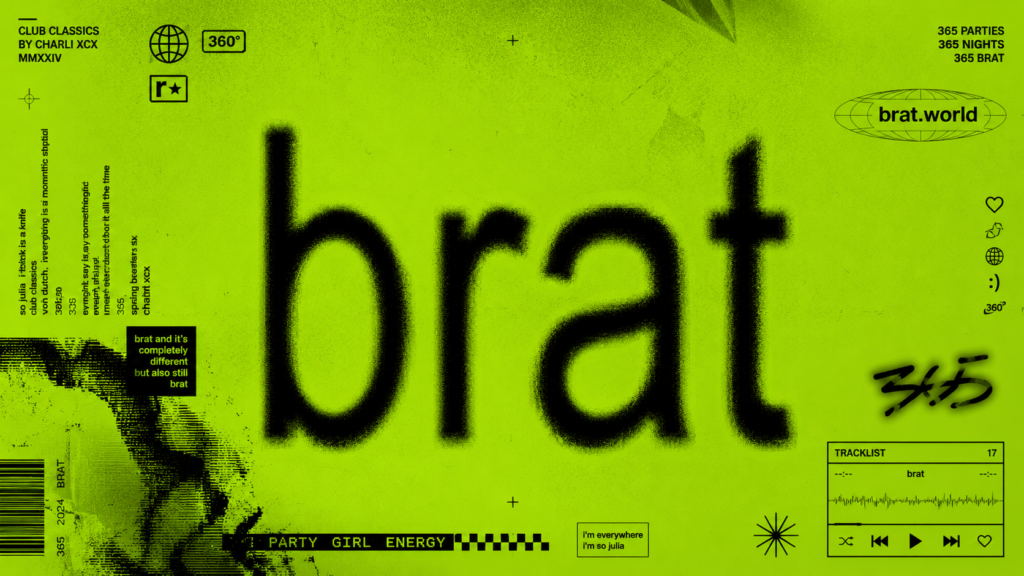
The style is particularly recognizable for its bright green background, lowercase black lettering, simple composition, and deliberately imperfect appearance. Its minimal design makes it easy to recognize while also making it easy to adapt into new creative concepts.
A traditional image editor requires users to create the background, select a suitable typeface, position the text, adjust its appearance, and export the finished image. A brat text generator simplifies this process by handling much of the formatting automatically.
The result is a faster and more accessible way for beginners and experienced creators to experiment with the aesthetic.
The tool can be used to create:
The main idea is simple: enter your own words and turn them into a distinctive visual design.
How to Use the Brat Generator
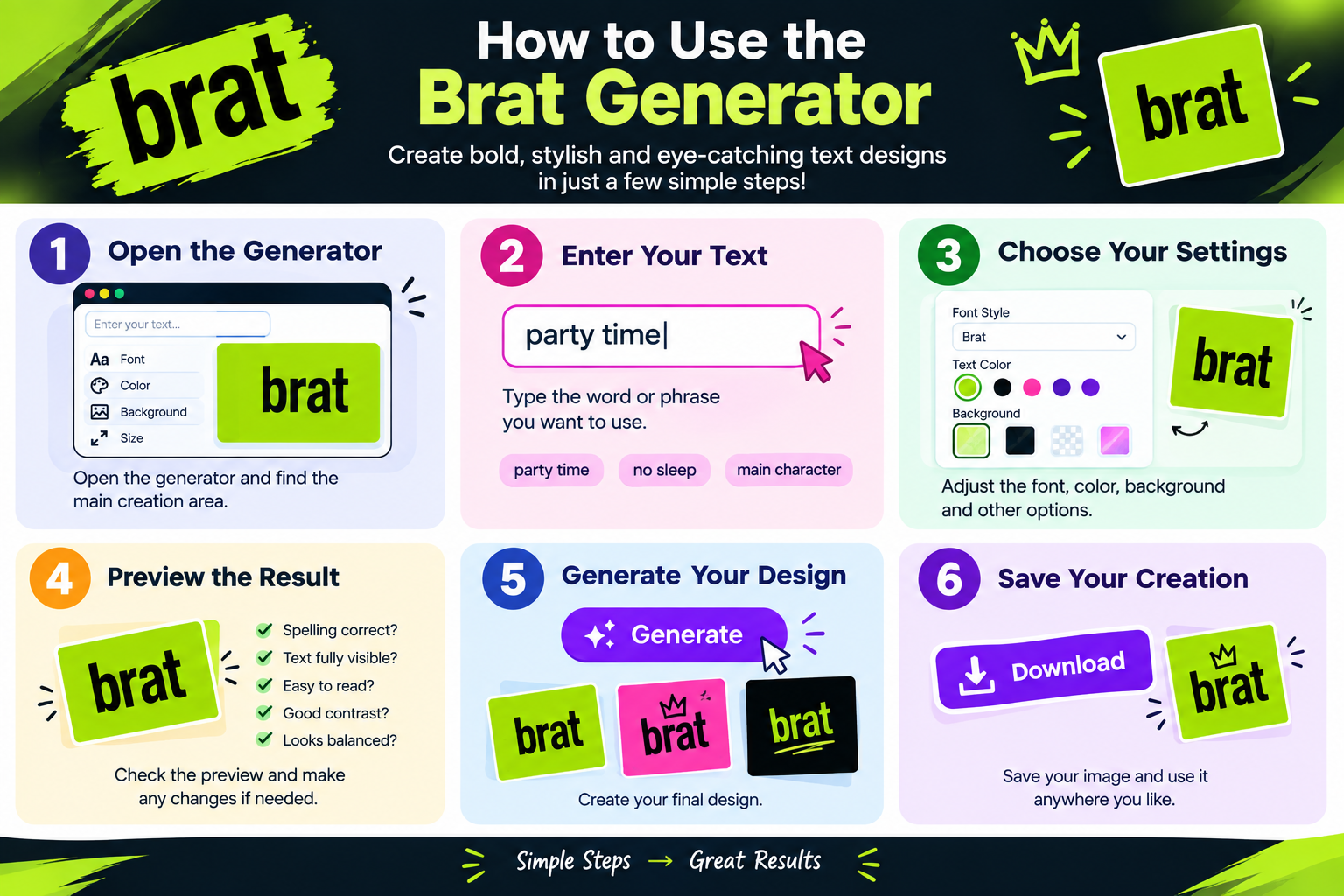
Using the Brat Generator is a simple way to create custom Brat-style text and graphics in just a few steps. You can enter your own words, adjust the available settings, preview your design, and save the finished creation.
Step 1: Open the Brat Generator
Start by opening the Brat Generator and finding the main creation area. The text input and design controls are usually located near the generator preview.
If you’re using the tool for the first time, begin with a short word or phrase. This makes it easier to see how your text appears in the design.
Step 2: Enter Your Text
Type the word, name, phrase, or short message you want to turn into a Brat-style design.
You can experiment with different ideas, such as:
Short phrases often work especially well because they are easy to read and fit naturally into the graphic.
Step 3: Customize Your Design
After entering your text, explore the available customization options.
Depending on the generator settings, you may be able to adjust elements such as the text appearance, font, size, background, or positioning. A Brat font generator can be particularly useful if you want to recreate the distinctive visual style associated with Brat-inspired designs.
Try different settings until the design matches the look you want. Small changes to the text size or positioning can make a noticeable difference to the final result.
Step 4: Preview Your Design
Check the preview before creating or downloading your final design.
Make sure that:
If anything needs changing, return to the customization options and make the necessary adjustments.
Step 5: Generate Your Brat Design
Once you’re happy with the preview, generate your design using the available generator option.
If the first version isn’t exactly what you want, you can experiment with different text or settings and create another version. Trying several variations can help you find the design that best matches your idea.
Step 6: Download and Share
When your final design is ready, use the available download option to save it to your device.
Your creation can be used for personal projects, social media posts, messages, memes, creative content, or other appropriate purposes.
Before sharing your design publicly, take a final look at the image to make sure the text and overall appearance are exactly how you want them.
Key Features of Brat Generator
The Brat Generator makes it easy to create custom designs inspired by the distinctive Brat aesthetic. Instead of requiring advanced graphic design skills, the tool provides a simple way to turn your own words and ideas into eye-catching visuals.
Easy-to-Use Interface
The generator keeps the creative process simple. Enter your text, explore the available settings, preview your result, and create your design without professional editing software.
Custom Text Creation
Add your own name, phrase, nickname, short message, or creative idea and turn it into a personalized Brat-style design.
Brat-Style Typography
Create bold and distinctive text graphics inspired by the recognizable Brat aesthetic and its minimalist visual style.
Customizable Design
Adjust the available design options to create different variations. Experiment with text size, positioning, backgrounds, and other settings.
Real-Time Preview
Preview your design before saving it. Check the text, layout, and overall appearance and make changes whenever necessary.
Quick Generation
Turn your text into a finished design quickly without going through a complicated graphic editing process.
Download Your Creation
Save your finished design using the available download option and keep your graphics ready for personal creative projects.
Useful for Social Media and Memes
Create custom graphics for social media posts, memes, profile content, messages, and other creative projects.
No Advanced Design Skills Required
Beginners can experiment with text and available settings without needing experience with professional graphic design software.
How to Make Better Brat-Style Designs
A good generator makes the technical process easier, but the quality of the result still depends on your creative choices.
Keep Your Text Short
Minimalist designs generally work best with concise wording.
A short phrase can be more visually powerful than a long sentence because viewers can understand it immediately.
Instead of filling the entire image with text, think about the smallest number of words needed to communicate your idea.
Use Lowercase Text
Lowercase lettering is strongly associated with the visual identity of the Brat era.
Using lowercase text can therefore help create a more recognizable interpretation of the style.
However, the most important consideration is still readability. If capitalization improves your particular design, use it appropriately.
Choose Words With Visual Impact
Not every phrase works equally well as a graphic.
Words that are short, humorous, surprising, emotional, or slightly provocative can often make stronger visual content.
Think about how the word will look on the finished image rather than considering only its meaning.
Don’t Overcomplicate the Design
One of the defining characteristics of the aesthetic is simplicity.
Adding too many colors, effects, decorations, or visual elements can make the result feel less like the minimalist concept you’re trying to recreate.
Start simple and only add changes when they improve the design.
Preview Several Versions
Your first result doesn’t have to be your final result.
Generate a few variations and compare them.
You may discover that changing a single word or reducing the amount of text produces a significantly stronger image.
Latest Posts
- BRAT: Meaning, Aesthetic, and Cultural Significance
- Brat Generator: Create BRAT-Style Text and Images Online
- Brat Album: The Music, Story, Era, and Cultural Impact
- Brat Album Cover: Story Behind the Iconic Green Design
- Glitchy Text Generator: Create Distorted, Glitched & Cursed Text
What Can You Create With a Brat Generator?
The possibilities depend on the features provided by the particular tool, but a generator can be useful for many types of creative content.
Brat Text
The most basic use is creating brat text.
You can enter almost any short word or phrase and turn it into a Brat-inspired graphic. Names, nicknames, reactions, jokes, and short statements can all work well.
Short text is particularly useful because it preserves the clean and minimalist appearance of the design.
Brat Memes
The style is also suitable for creating brat memes.
Meme creators can replace the usual text with humorous phrases, reactions, inside jokes, or references that make sense to their audience.
Because the visual format is simple, the message can remain the main focus.
Brat Album Cover Designs
Another popular idea is creating a brat album cover-inspired graphic.
You could create a fictional album title, playlist cover, fan-made music graphic, or humorous concept. This doesn’t have to represent an actual music release.
The square composition is also useful for profile pictures, playlists, social posts, and digital artwork.
Personalized Graphics
The generator can also be used for personalized content.
For example, you might create an image featuring:
This makes the tool useful even when you’re not specifically creating a meme.
Exploring Glitch Text and Distorted Typography
The world of text generators extends far beyond the Brat aesthetic.
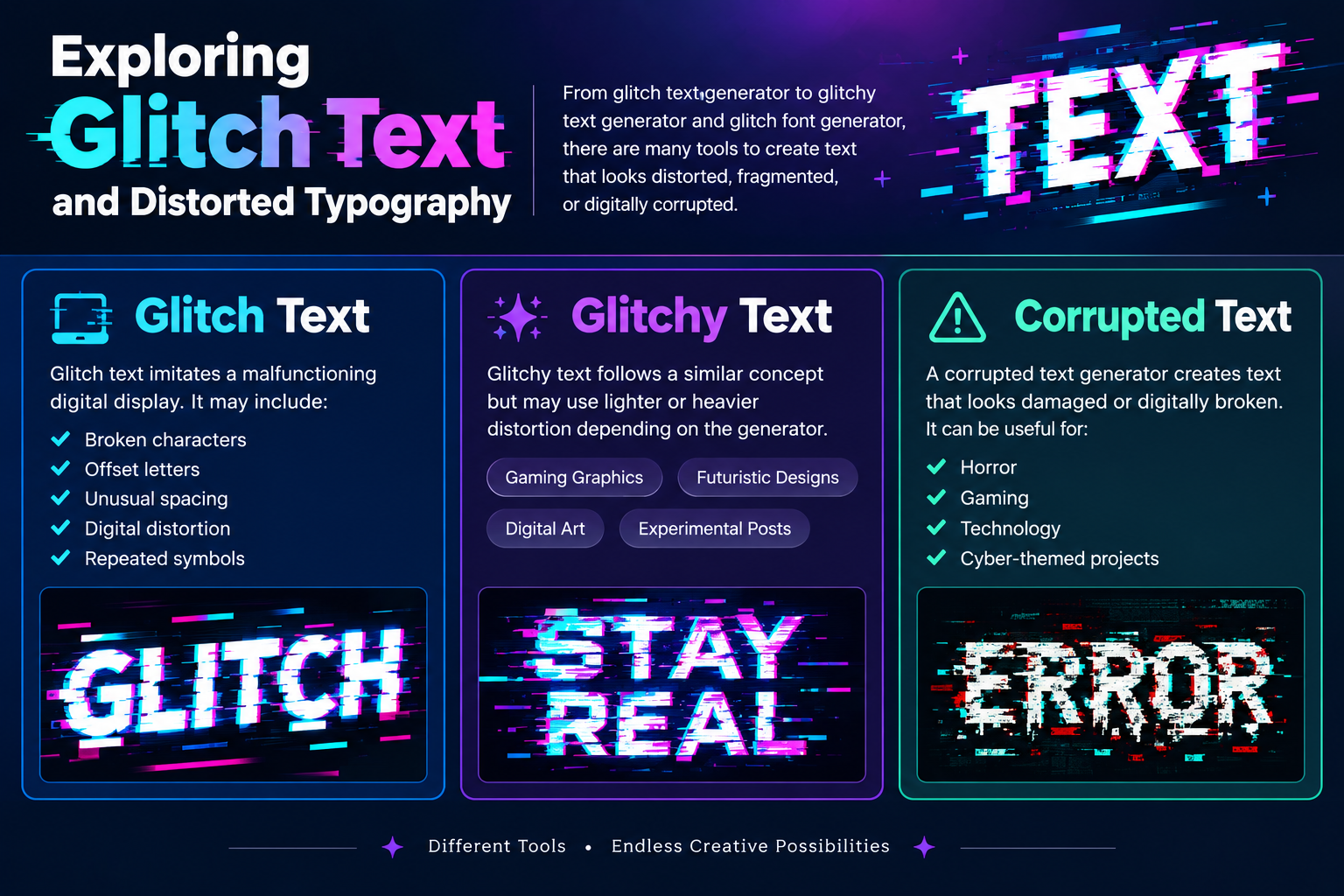
People interested in unusual typography may also explore glitch text generator, glitchy text generator, and glitch font generator tools.
These generators are designed to create text that appears distorted, fragmented, digitally corrupted, or visually unstable.
Glitch Text
Glitch text often imitates the appearance of a malfunctioning digital display.
It may include:
Glitchy Text
Glitchy text follows a similar concept but may use lighter or heavier distortion depending on the generator.
This type of typography can be useful for gaming graphics, futuristic designs, digital art, and experimental social posts.
Corrupted Text
A corrupted text generator typically creates text that looks damaged or digitally broken.
The resulting corrupted text can be useful for horror, gaming, technology, or cyber-themed creative projects.
Can You Use a Brat Generator on Mobile?
A browser-based generator can be convenient on smartphones and tablets because there is no need for specialized desktop software.
Mobile users can typically enter text, adjust available options, preview their creation, and save the final image through their browser when the tool supports responsive functionality.
A mobile-friendly interface is particularly important because the majority of social-media content is consumed on smaller screens.
Tips for Using the Generator on Your Phone
When creating a design from a smartphone, keep these tips in mind:
If the workspace feels crowded, switching between portrait and landscape orientation may make editing easier.
A Simple Brat Generator Workflow for Beginners
If you want the quickest possible process, remember this sequence:
Open the Generator
First, open the Brat Generator and locate the main creation area.
Enter Your Text
Next, enter the word, name, phrase, or message you want to use.
Customize
Adjust the available settings until the design matches your preferred look.
Preview the Result
Check your design carefully and make any changes before generating it.
Generate Your Design
Once you’re satisfied, generate the final Brat-style design.
Save Your Image
Finally, save the finished image and use it for your intended purpose.
Once you understand these basic steps, you can start experimenting with more creative ideas and different designs.
Common Issues and Quick Fixes
If you experience problems while using the Brat Generator, most issues can be fixed quickly. If your text is not displaying correctly, check the wording and try a shorter phrase. And if the design looks misaligned or difficult to read, adjust the available size or positioning settings. If the generator is not responding, refresh the page and try again. For download problems, try the download option again or refresh the page and generate the design once more.
Is a Brat Generator Free to Use?
The availability and limitations of any online generator depend on the specific tool.
Users should review the features presented in the generator interface to understand whether there are restrictions on generations, downloads, accounts, or other functions.
Free access can make these tools particularly useful for casual creators who want to experiment without investing in professional design software.
However, users should also understand that free access to a generator does not automatically mean every generated design can be used for any commercial purpose.
For commercial projects, always consider the applicable usage rights, trademarks, copyrighted material, and terms associated with the content you create.
Brat Generator Alternatives
Canva
Canva makes it easy to create stylish graphics using ready-made templates, fonts, layouts, and visual effects. Its simple editor works well for social posts, album-inspired designs, and more.
Adobe Express
Adobe Express is a convenient option for creating polished visuals quickly. It combines customizable templates, typography tools, effects, and branding features in one easy-to-use platform.
Font Meme
Font Meme is useful for exploring typography inspired by movies, music, and popular culture. It lets users create customized text graphics without advanced design skills.
Kapwing
Kapwing is an online creative editor for memes, videos, and social media graphics. You can add text, animations, effects, and other elements directly from your browser.
Picsart
Picsart offers creative tools for editing images and producing attention-grabbing content. Filters, stickers, text effects, and AI features make it useful for social media designs.
Why Choose Brat Generator
The Brat Generator provides a quick and simple way to create Brat-style text and graphics. You can enter your text, customize the design, and create your image without advanced design skills.
Its easy browser-based interface makes the process fast and convenient. It is useful for creating custom graphics for social media, memes, messages, and personal creative projects.
FAQs About Brat Generator
How do I use a Brat Generator?
Enter your text, customize the available design settings, preview your creation, and generate the final image. You can then save the finished design to your device.
Can I create my own text with a Brat Generator?
Yes. You can add your own names, phrases, jokes, captions, or other creative ideas to make a personalized Brat-style design.
Can I use a Brat Generator on my phone?
Yes. A browser-based Brat Generator can work on compatible smartphones and tablets, allowing you to create and preview designs without using a desktop computer.
What can I create with a Brat Generator?
You can create Brat-inspired text graphics, memes, profile images, social media content, playlist artwork, and other personal creative designs.
What is the Brat font?
The term “Brat font” usually describes the distinctive typography associated with the Brat visual style. The overall look also depends on factors such as lowercase text, spacing, proportions, and color.
Final Thoughts
The Brat Generator provides a simple way to turn ordinary words into distinctive visual content inspired by one of the most recognizable modern pop-culture aesthetics.
Its appeal comes from simplicity. You don’t need advanced design skills or complicated software to experiment with the format. Enter a short phrase, explore the available settings, preview your idea, and generate a finished graphic.
Beyond brat text and brat memes, the same interest in creative typography extends into meme fonts, white-background meme formats, AI-generated memes, glitch text, corrupted text, Zalgo text, creepy fonts, and scary typography.
The best results usually come from keeping the design focused. Choose words with visual impact, avoid unnecessary complexity, check readability, and experiment with several variations.
Whether you’re creating a funny social post, a personalized graphic, a playlist image, or a fan-made design, a Brat Generator gives you a quick and accessible starting point for turning an idea into something visual.
Disclaimer
Brat-Generate.com is an independent creative website and is not affiliated with, sponsored by, or officially connected to Charli XCX, her record label, or any related brand or organization. The generator is provided for entertainment, creative, and informational purposes. All names, trademarks, logos, artwork, and other intellectual property belong to their respective owners, and we do not claim ownership of third-party content.
Users are responsible for the content they create and how they use it. Please ensure that your use of generated designs complies with applicable copyright, trademark, and intellectual property laws. We strive to keep the website available and functioning properly but do not guarantee that it will always be error-free or uninterrupted. By using Brat-Generate.com, you agree to this disclaimer.