Brat Generator: Create BRAT-Style Text and Images Online
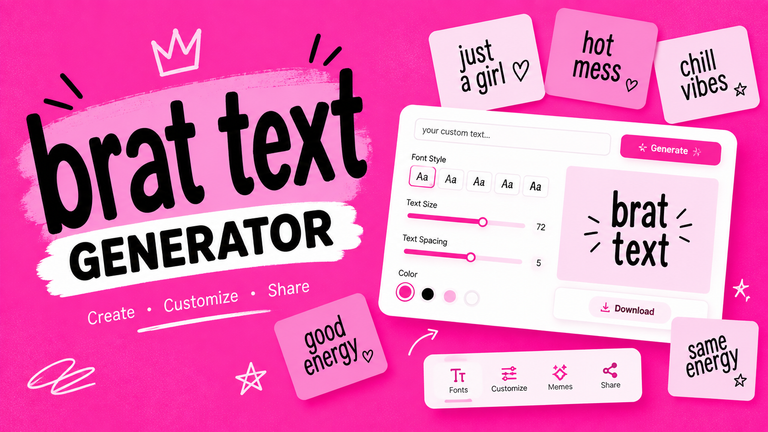
A Brat Generator is an online tool that lets you create custom graphics inspired by the recognizable minimalist visual style associated with the BRAT aesthetic. Instead of learning complicated image-editing software, users can usually enter their own text, adjust the appearance, preview the result, and generate an image within a few moments.
The appeal of these tools comes from their simplicity. A short word, name, phrase, or message can be transformed into a distinctive graphic without requiring professional design skills. Depending on the generator, users may also be able to change fonts, text size, alignment, spacing, background appearance, and other visual settings.
What Is a Brat Generator?
A Brat Generator is a web-based image creation tool designed to produce graphics inspired by the visual identity commonly associated with the BRAT aesthetic.
The basic concept is straightforward: you provide text, customize the design, and generate an image. Instead of manually recreating the appearance using a graphic design application, the generator handles much of the formatting automatically.
Most tools focus on a deliberately simple appearance. The design may contain a plain or textured background with prominent text and minimal additional decoration. This simplicity is one of the main reasons the format works well for social media, memes, profile graphics, and other digital content.
However, not every Brat Generator works in exactly the same way. One tool may provide only a text field and a download button, while another may include font controls, background settings, text positioning, image dimensions, and additional customization options.
The term “Brat Generator” generally describes the type of tool rather than a single standardized application.
Why Is It Called a Brat Generator?
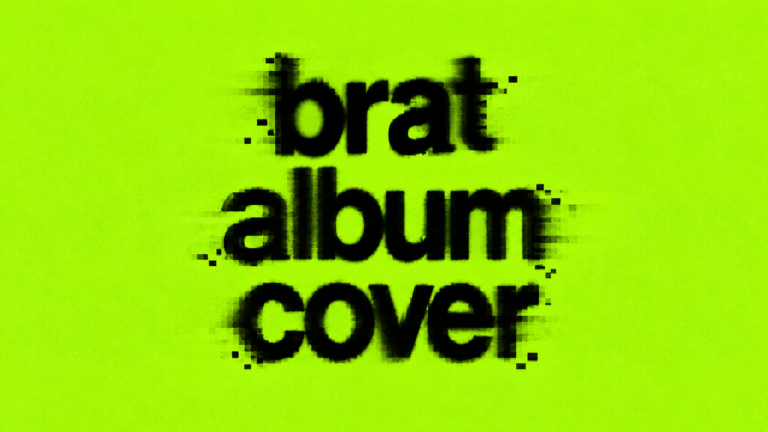
The name comes from the broader BRAT visual aesthetic associated with Charli XCX’s 2024 album and its distinctive minimalist green-and-black visual identity.
The aesthetic became widely recognizable and was adapted across social media, memes, profile images, digital artwork, and user-generated content. Once a visual style becomes recognizable, online creators often turn it into editable templates and generators.
A Brat Generator essentially makes that type of customization easier. Instead of designing a similar graphic from scratch, users can enter their own words and produce a personalized version.
It is important to distinguish an independently created Brat-inspired generator from an officially licensed or affiliated product. A website using the term “Brat” does not automatically mean it is officially connected to Charli XCX or her music.
What Does a Brat Generator Create?
The exact output depends on the tool, but several types of graphics are commonly associated with these generators.
Brat-Style Text Images
The simplest use is creating an image containing custom text.
You might enter a:
- Name
- Username
- Short phrase
- Word
- Quote
- Announcement
- Personal message
The generator then places the text into its selected visual layout.
Because the design is intentionally minimalist, even a single word can become the main visual element.
Brat Memes
A Brat Meme Generator can take the same basic concept and make it more suitable for humorous or social-media content.
Users can create short reaction messages, jokes, statements, and other meme-style graphics. The simplicity of the format makes it easy to adapt to different topics without requiring complicated image editing.
Custom Brat-Inspired Graphics
The format can also be used for personal creative projects.
Examples include:
- Social media graphics
- Profile images
- Digital posters
- Wallpapers
- Mood-board elements
- Party graphics
- Personal artwork
- Short promotional graphics
The best use depends on the generator’s features and the intended purpose of the image.
How Does a Brat Generator Work?
Although individual websites have different interfaces, the general process is similar.
1. Enter Your Text
The first step is usually entering the text you want to appear in the image.
This could be a name, phrase, statement, or any other short piece of text supported by the generator.
Shorter text often works particularly well because minimalist designs depend on strong visual balance. Very long sentences may require smaller text or additional formatting.
2. Choose or Adjust the Font
Some generators provide font customization.
Depending on the tool, you might be able to change:
- Font family
- Font size
- Font weight
- Letter spacing
- Line spacing
- Text alignment
Typography has a major effect on the final appearance. A font that is too decorative may move the result away from the simple aesthetic that users expect.
3. Customize the Background
The background provides the visual foundation of the design.
Some generators provide a fixed background, while others allow users to modify colors or other background properties.
The important consideration is contrast. Text should remain easy to read against the background, particularly when the image will be viewed on a small mobile screen.
4. Adjust the Position
More advanced generators may allow you to control where the text appears.
You may be able to adjust:
- Horizontal position
- Vertical position
- Alignment
- Margins
- Spacing
Proper positioning can make a significant difference. A technically correct graphic can still look unbalanced if the text is too close to an edge or positioned awkwardly.
5. Preview the Design
A preview allows you to see the final composition before saving it.
This is a useful step for catching:
- Spelling mistakes
- Incorrect spacing
- Text that extends outside the design
- Poor contrast
- Unbalanced positioning
A live preview is especially useful when experimenting with different fonts and sizes.
6. Generate the Image
Once the design looks right, the generator processes the settings and creates the final graphic.
Some tools generate the image immediately in the browser. Others may prepare the file before presenting an option to save it.
7. Download or Save the Result
The final step is saving the image.
PNG is commonly useful when you want a clean digital graphic, while other formats may be suitable depending on how the image will be used.
Before downloading, check the resolution. A graphic intended for social media may require different dimensions from one intended for printing.
How to Use a Brat Generator
Using one does not normally require graphic design experience.
Step 1: Open the Generator
Visit the Brat Generator using a modern browser on a computer, tablet, or supported mobile device.
Step 2: Enter Your Message
Type the exact word or phrase you want to display.
Keep the wording concise if you want a strong minimalist appearance.
Step 3: Customize the Design
Depending on the tool, experiment with available fonts, text size, spacing, alignment, and background settings.
Avoid changing every available option simply because it exists. Minimalist designs often work better when the number of visual elements remains limited.
Step 4: Preview the Result
Look at the entire image rather than focusing only on the text.
Check whether the composition feels balanced and whether every word is clearly visible.
Step 5: Generate
When the design is ready, use the generator’s creation or generate function.
Step 6: Download and Share
Save the finished image in the available format and use it for your intended personal or creative purpose.
Brat Generator Features to Look For
Not every generator offers the same capabilities. If you are comparing different tools, the following features can make the creation process easier.
Custom Text
A useful generator should allow you to replace the default text with your own content.
Ideally, changing the text should be quick and should not require refreshing the page.
Font Customization
Font controls give users greater creative flexibility.
Useful options may include different typefaces, font sizes, weights, and spacing settings.
Background Controls
Some users want the classic visual appearance, while others may want to experiment with different backgrounds.
A generator with background controls provides greater flexibility, although the available options vary.
Text Positioning
Position controls can help prevent text from appearing too close to an edge or becoming visually unbalanced.
Live Preview
A live preview lets you see changes immediately. This can make the design process much faster than repeatedly generating and downloading different versions.
High-Quality Export
A good generator should produce an image that remains clear after downloading.
Pay attention to the output resolution if you intend to use the image outside casual social media sharing.
Mobile-Friendly Interface
Many people create and share social graphics from their phones. A responsive generator should therefore remain usable on smaller screens.
Large buttons, readable controls, and a properly scaled preview can make a significant difference to the experience.
Brat Generator vs. Brat Font Generator
These terms are related but they do not necessarily describe the same type of tool.
| Tool | Main purpose |
| Brat Generator | Creates a complete BRAT-inspired graphic |
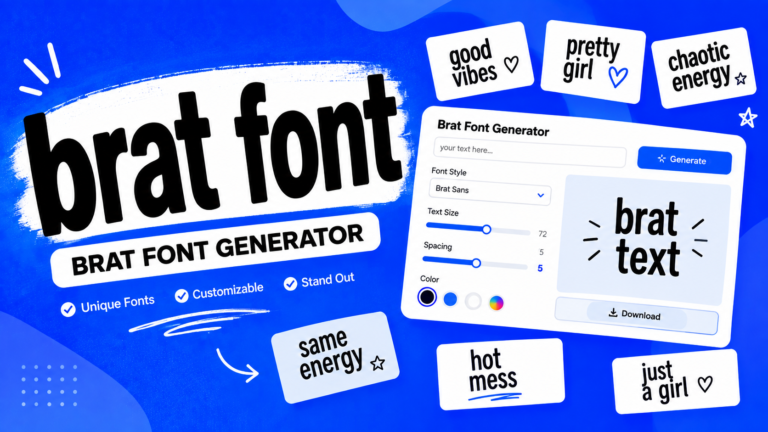
| Brat Font Generator | Focuses mainly on generating or previewing text in a suitable font |
| Brat Meme Generator | Focuses on meme-style graphics |
| General Image Editor | Provides broader graphic design capabilities |
A person who only wants stylized text may prefer a font-focused tool. Someone who wants a finished image may find a complete generator more convenient.
What Is a Brat Font?
“Brat font” is commonly used online to describe fonts or typography that resemble the visual treatment associated with the BRAT aesthetic.
The important thing to understand is that online tools may use different fonts while attempting to achieve a similar appearance. A generator may offer one typeface, while another website may use a different typeface with similar characteristics.
The overall effect depends on more than the font itself. Size, spacing, positioning, background, contrast, and text treatment all contribute to the final appearance.
Therefore, simply installing a font does not necessarily reproduce the complete visual style of a Brat Generator.
Why Did the Brat Aesthetic Become So Popular?
The popularity of the aesthetic can be understood partly through its simplicity and recognizability.
Minimalist Visual Identity
The design does not depend on a complicated illustration or large collection of visual elements. A relatively simple combination of background and typography can be immediately recognizable.
Social Media Sharing
Simple graphics are easy to share, repost, modify, and adapt.
This makes them suitable for platforms where users regularly create and distribute short-form visual content.
Easy Personalization
A user does not need advanced design knowledge to replace the original wording with their own.
This lowered the barrier to participation and helped the aesthetic become a template for user-generated content.
Internet Culture
Online communities frequently turn recognizable visual identities into memes, templates, filters, and generators.
A generator provides a convenient way for people to participate without manually recreating the design.
What Can You Use a Brat Generator For?
A Brat Generator can be useful for several types of personal and creative content.
Social Media Posts
You can create short graphics for platforms such as Instagram, X, Facebook, and other social networks.
A concise phrase can work as a standalone post or as part of a larger content strategy.
Memes
Short text-based graphics can work well as memes because the message can be understood quickly.
Profile Graphics
Names, usernames, short descriptions, or phrases can be turned into simple profile graphics.
Event Graphics
The format can also be adapted for informal party announcements, invitations, and themed digital graphics.
For professional or commercial events, however, make sure that the design and branding you use are appropriate for the event and do not create confusion about official affiliation.
Creative Projects
Artists and content creators can use the format as an element in mood boards, digital artwork, experimental typography, and other projects.
How to Make a Better Brat-Style Graphic
A generator makes creation easier, but good results still depend on the choices you make.
Keep the Text Short
Minimalist graphics usually benefit from concise wording.
If you have a long message, consider shortening it or dividing it into multiple graphics rather than forcing everything into one image.
Choose Readable Typography
A stylish font is not useful if viewers cannot easily read it.
Check the result at both full size and the approximate size at which people will see it on social media.
Use Strong Contrast
The text needs to stand apart clearly from the background.
Poor contrast can make even a well-designed graphic difficult to understand.
Leave Enough Space
Do not place important text directly against the edges.
Adequate spacing gives the design room to breathe and helps prevent accidental cropping on different platforms.
Preview Before Downloading
Always check the final image for spelling, alignment, sizing, and other errors before sharing it.
Is a Brat Generator Free?
Many online Brat-style generators can be used without paying, but the exact pricing model depends on the individual website.
Some tools may provide their basic generator for free while charging for additional features.
Potential differences between free and paid versions can include:
- Additional customization
- More fonts
- Higher-resolution downloads
- Additional export options
- Removal of watermarks
- Advanced editing controls
Always check the specific website’s terms before assuming that every feature or download option is free.
Is a Brat Generator Safe to Use?
The basic image-generation process is generally straightforward, but users should still consider privacy and website security.
Does It Require an Account?
Some tools work immediately without registration, while others may ask users to create an account.
An account requirement is not automatically unsafe, but users should understand what information they are providing.
Does It Store Your Text?
Privacy practices vary.
If you are entering private messages, personal information, unpublished business material, or other sensitive content, check the website’s privacy policy before submitting it.
Are Downloads Safe?
Use established websites and be cautious of unexpected download prompts, browser notifications, or files that do not match the format you expected.
Avoid Sensitive Information
There is generally no reason to enter passwords, financial information, private documents, or other confidential information into a simple image generator.
Is a Brat Generator Official?
Not necessarily.
The term “Brat Generator” can refer to an independently developed online tool that is inspired by the visual aesthetic associated with BRAT.
Users should distinguish between:
- A fan-made or independently developed generator
- A tool inspired by a popular aesthetic
- An officially licensed product
- An officially affiliated website
These are not automatically the same thing.
If official affiliation matters, look for clear information from the relevant rights holder rather than assuming that the name or appearance proves a connection.
Brat Generator on Different Devices
A browser-based generator can be convenient because users do not necessarily need specialized software.
Desktop
Desktop computers provide a larger screen and can make detailed customization easier.
This can be useful when experimenting with typography, spacing, and image dimensions.
Mobile
Mobile devices are convenient for quickly creating and sharing graphics.
A well-designed responsive interface should make controls easy to access without requiring excessive zooming or horizontal scrolling.
Tablet
Tablets provide a middle ground between desktop and mobile. Their larger display can make editing easier while retaining portability.
Brat Generator for Social Media
The simple format makes BRAT-inspired graphics suitable for many social platforms.
You might create:
- Instagram posts
- Instagram Stories
- X graphics
- Facebook posts
- TikTok-related visual content
- Pinterest graphics
The important point is to consider the platform’s image dimensions before generating the final design.
A square image may work well in one location, while a vertical format may be more appropriate for another.
Brat Generator vs. Creating the Design Manually
Both approaches have advantages.
| Factor | Brat Generator | Manual Design |
| Speed | Usually fast | Usually slower |
| Design experience | Minimal | Often more experience required |
| Customization | Depends on the tool | Extensive |
| Convenience | High | Lower |
| Creative control | Tool-dependent | Very high |
| Best suited for | Quick graphics | Detailed projects |
A generator is useful when speed and simplicity are priorities. Manual design software may be preferable when you need complete control over every visual element.
Neither approach is automatically better for every project.
FAQs About Brat Generator
Is a Brat Generator free?
Some Brat Generators are free, while others may offer a mixture of free and paid features. Pricing, download options, customization controls, and usage restrictions depend on the individual tool.
Can I create my own text with a Brat Generator?
Yes. Custom text is one of the main purposes of these tools. Depending on the generator, you may also be able to customize the font, size, spacing, alignment, and background.
Can I use a Brat Generator on my phone?
Many browser-based generators can be accessed from mobile devices. The actual experience depends on how responsive and mobile-friendly the particular website is.
What is the difference between a Brat Generator and a Brat Font Generator?
A Brat Generator generally focuses on creating a complete image, while a Brat Font Generator primarily focuses on typography or generating text in a particular visual style. Some websites may combine both functions.
Can I use Brat Generator images commercially?
Commercial use depends on the generator’s terms, the assets used to create the image, and applicable copyright or trademark considerations. Before using a generated image commercially, review the specific tool’s terms and make sure your intended use does not imply an unauthorized endorsement or affiliation.
Conclusion
A Brat Generator makes it easy to create simple, recognizable, BRAT-inspired graphics without requiring advanced graphic design skills. The basic process is usually straightforward: enter text, customize the available settings, preview the design, generate the image, and save the result.
The strongest results generally come from keeping the design simple. Short text, readable typography, good contrast, balanced spacing, and appropriate image dimensions can make a significant difference.
At the same time, users should understand what these tools actually are. An independently created generator inspired by the BRAT aesthetic should not automatically be treated as an official product or affiliated service.
Whether you want to create a meme, social media graphic, personalized text image, or experimental piece of digital artwork, a Brat Generator can provide a quick starting point. The quality of the final result ultimately depends on both the capabilities of the generator and the design choices made by the user.