Scary Text Generator: Create Creepy, Glitchy, and Distorted Text
A scary text generator is an easy way to turn ordinary words into creepy, distorted, glitchy, or unsettling text. Instead of using standard letters, these tools can transform text with unusual characters, strange symbols, visual distortions, and horror-inspired styles.
Scary text can be useful for Halloween posts, horror memes, gaming usernames, social media content, creative projects, stories, posters, and many other situations where normal text feels too ordinary. You can experiment with different styles and create something that looks mysterious, corrupted, spooky, or completely strange.
What Is a Scary Text Generator?
A scary text generator is an online tool that changes regular text into a visually unusual style. You type a word, phrase, username, or sentence into the generator, choose a style, and receive a transformed version that you can usually copy and paste.
Unlike a traditional font generator, many scary text tools focus on the appearance of individual characters and the overall visual effect. The result might include unusual Unicode characters, distorted letters, glitch effects, symbols, or stacked marks.
For example, a simple phrase such as “Enter the darkness” can be transformed into a style that looks corrupted or mysterious. The goal is not necessarily to make the text difficult to understand. Instead, the generator adds a visual mood that makes ordinary words feel more dramatic.
These tools are particularly useful for people who want creative text without learning complicated graphic design software.
How Does a Scary Text Generator Work?
Most scary text generators are designed to be simple. You do not need advanced design skills to create a result.
1. Enter Your Text
Start by entering a word, phrase, username, or sentence. Shorter phrases often work particularly well because unusual characters and effects are easier to see.
For example, you could enter:
- Welcome to the dark side
- Don’t look behind you
- Lost in the shadows
- Horror night
- Something is watching
2. Choose a Scary Style
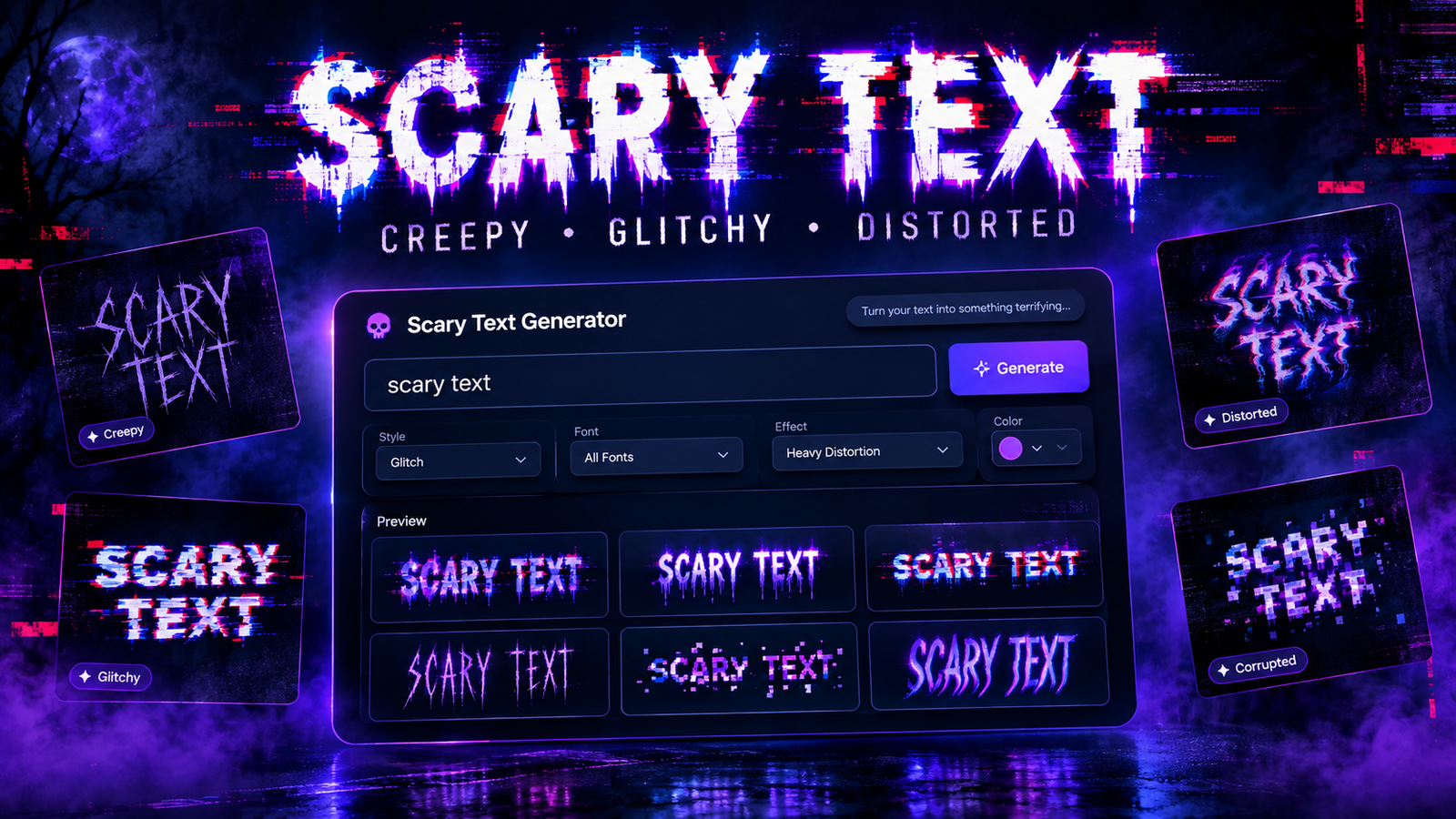
A generator may provide several styles, including creepy, distorted, glitchy, cursed, corrupted, or horror-inspired options.
Try several styles instead of choosing the first result. Different effects can create completely different moods from the same phrase.
3. Experiment With Effects
Some generators provide additional customization options. Depending on the tool, you may be able to adjust distortion, symbols, spacing, character styles, or other visual effects.
A small amount of distortion can create a mysterious appearance, while heavier effects can make the text look severely corrupted.
4. Preview the Result
Always preview your text before using it. Some combinations can become difficult to read, especially when many unusual characters are added.
A good scary text design should create an interesting visual effect while still communicating the original message.
5. Copy or Download
Once you find a style you like, copy the generated text or save the result if the generator provides an image-download option.
You can then use the text in social posts, messages, usernames, memes, graphics, or other creative projects.
Popular Scary Text Styles
There is no single style that defines scary text. Different effects can produce different moods.
Creepy Text
Creepy text generally uses unusual characters and visual combinations to create an unsettling appearance. It works well for horror stories, Halloween content, mysterious messages, and spooky social media posts.
The best creepy text does not necessarily need to be extremely distorted. A strange-looking character style can be enough to create the desired atmosphere.
Glitch Text
Glitch text is inspired by digital errors and corrupted screens. Characters may appear broken, displaced, duplicated, or visually distorted.
This style works particularly well for gaming content, technology-themed graphics, cyberpunk designs, horror memes, and mysterious usernames.
Cursed Text
Cursed text is designed to look unusual, chaotic, or almost unnatural. It can combine strange symbols, altered characters, and visual marks to create an intentionally uncomfortable appearance.
Because cursed text can become difficult to read, it is usually better for memes and creative experiments than for longer messages.
Zalgo-Style Text
Zalgo-style text uses Unicode combining marks to create text with marks appearing above, below, and around normal characters. The result can look corrupted, chaotic, or supernatural.
This style is often associated with internet horror and creepy memes. Because it can become visually overwhelming, moderation is useful when creating readable content.
Distorted Text
Distorted text changes the appearance of ordinary letters through stretching, unusual spacing, character substitution, or other effects.
It is a flexible option when you want something strange without making the entire phrase unreadable.
Horror Text
Horror text focuses more on mood than technical distortion. It can be used for Halloween graphics, horror stories, spooky announcements, videos, and themed social media content.
Scary Text Generator vs. Creepy Font Generator
Although these terms are sometimes used interchangeably, they can describe slightly different approaches.
| Feature | Scary Text Generator | Creepy Font Generator |
| Main purpose | Transform text with scary effects | Apply creepy typography |
| Character effects | Often included | Usually limited |
| Distortion | Common | Sometimes available |
| Unicode styles | Frequently used | May be available |
| Font selection | May vary | Usually more important |
| Best for | Memes, messages, usernames | Graphics, posters, designs |
A scary text generator generally focuses on transforming the characters themselves, while a creepy font generator may focus more on typography and font appearance.
How to Create Scary Text Online
Creating scary text does not need to be complicated. A simple workflow can produce strong results.
First, decide what you want the text to communicate. A short phrase usually gives you more control than a long paragraph.
Next, enter the phrase into a scary text generator and test several styles. Compare a subtle creepy style with a more heavily distorted version.
After choosing a style, check the readability. If the result looks too chaotic, try a simpler effect. You can also experiment with different phrases because the same style may look very different with different letter combinations.
Finally, copy the finished text and use it wherever appropriate.
For graphic projects, you can also turn the generated text into an image and combine it with a background, illustration, or other visual elements.
What Can You Use Scary Text For?
Scary text has many creative applications.
🎃 Halloween Posts
Create spooky messages, invitations, captions, and promotional graphics for Halloween.
👻 Horror Memes
Add creepy or cursed-looking text to horror memes and humorous scary content.
🎮 Gaming Usernames
Gamers can experiment with unusual characters and scary styles to create distinctive usernames, clan names, or profile text.
📱 Social Media
Scary text can make captions, profile descriptions, and themed posts visually different from ordinary content.
💬 Discord and Online Communities
Creepy and glitchy text can work well for gaming servers, horror communities, themed conversations, and special events.
🎬 YouTube Thumbnails
Short scary phrases can be incorporated into horror, mystery, gaming, and storytelling thumbnails.
🕷️ Horror Stories
Writers can use unusual text for titles, section introductions, fictional messages, or atmospheric elements.
🖼️ Posters and Creative Graphics
Designers can use distorted text as part of a larger composition for posters, digital artwork, event graphics, or experimental designs.
Scary Text vs. Glitch Text vs. Cursed Text
These styles can look similar, but their visual goals are different.
Scary text is the broadest category. It can include anything designed to create a spooky, unsettling, or horror-inspired appearance.
Glitch text focuses on digital distortion. It often resembles corrupted software, broken displays, or malfunctioning digital graphics.
Cursed text takes the unusual appearance further by creating chaotic combinations of characters and marks. It is often intentionally uncomfortable or strange.
Choosing between them depends on the mood you want. Use glitch text for a digital atmosphere, cursed text for extreme distortion, and a simpler scary style when readability is important.
Tips for Creating Better Scary Text
Creating effective scary text is more about choosing the right effect than adding as many distortions as possible.
Keep Your Phrase Short
Short phrases are easier to read and usually look better with unusual characters.
Don’t Overuse Distortion
Extreme effects can make the original message impossible to understand. Start with a subtle effect and increase the intensity only when necessary.
Match the Style to the Mood
A glitch effect may work well for a futuristic horror theme, while a creepy Unicode style may be better for supernatural content.
Maintain Readability
If people cannot understand the message, the visual effect may become less useful. Always check the final result before publishing it.
Experiment With Multiple Styles
Do not assume that the first generated version is the best one. Testing several styles can help you discover a much stronger result.
Common Mistakes to Avoid
One common mistake is using too many effects at once. Combining excessive symbols, distortion, and unusual characters can make text look messy.
Another mistake is using an inappropriate style for the platform. Extremely distorted text may look interesting in a meme but can be difficult to read in a social media caption.
It is also important to avoid relying on scary effects when the message itself is weak. Start with a good phrase, then use typography to enhance its mood.
Finally, preview your text on different devices when possible. Characters supported on one platform may not appear exactly the same everywhere.
Is a Scary Text Generator Free?
Many online scary text generators are available without requiring professional design software. Basic text transformation can often be completed directly in a browser.
The exact features vary between tools. Some focus on simple copy-and-paste text, while others provide additional controls for fonts, colors, distortion, backgrounds, or image generation.
For quick projects, an online generator can be much faster than manually recreating unusual typography in a design application.
Scary Text Generator for Social Media and Memes
Social media is one of the easiest places to experiment with scary text. A short creepy phrase can make an ordinary post more visually interesting.
For Instagram and Facebook, scary text can be used in themed captions and graphics. On TikTok and YouTube, it can complement horror or mystery content. On X and Discord, unusual text can work as a quick visual element in posts and messages.
For memes, the key is balance. A short phrase with a subtle glitch or creepy effect is often more effective than filling the entire image with heavily distorted characters.
Conclusion
A scary text generator makes it easy to transform ordinary words into creepy, glitchy, cursed, and distorted text. Whether you are creating a Halloween post, horror meme, gaming username, social media graphic, or creative project, the right text style can quickly change the mood of your content.
The most effective results come from experimenting with different styles while maintaining readability. Start with a short phrase, test several effects, and choose the version that matches your intended atmosphere.
From subtle creepy characters to heavily corrupted Zalgo-style text, there are plenty of ways to make ordinary words look unusual. With a little experimentation, scary text can become a simple and creative addition to your digital content.