Glitch Text Generator – Create Glitchy, Distorted & Cursed Text
A Glitch Text Generator transforms ordinary words into unusual, distorted, and eye-catching text that looks like a digital error. It can create glitchy letters, corrupted text, creepy characters, cursed text, and Zalgo-style effects that are useful for social media, gaming profiles, memes, digital artwork, and creative projects.
Instead of designing each character manually, you can enter your text, choose an effect, and generate a stylized result within seconds. The generated text can then be copied and pasted into supported apps and platforms.
Whether you want a subtle digital distortion or an extreme corrupted appearance, a glitch text generator makes it easy to experiment with different text effects.
What Is a Glitch Text Generator?
A glitch text generator is an online tool that changes the appearance of ordinary text by creating unusual character combinations and visual distortions. The result can make simple words look broken, corrupted, mysterious, futuristic, or creepy.
Many glitch effects are created using Unicode characters and combining marks. A combining mark can interact with a normal character and appear above, below, or around it. When multiple marks are combined, they can produce the recognizable distorted appearance associated with glitch and Zalgo text.
For example, ordinary text such as:
HELLO
can be transformed into something that visually resembles:
H̷E̵L̶L̴O̷
The exact appearance depends on the effect and the characters used by the generator.
A useful generator usually provides a simple workflow. You enter your text, select an effect, adjust the intensity when available, preview the result, and copy the final version.
How Does a Glitch Text Generator Work?
The technology behind glitch text can look complicated, but the basic idea is relatively simple.
Unicode Characters
Unicode is a standard system used to represent text characters across computers and digital devices. It includes letters, numbers, symbols, punctuation, and many other characters.
Glitch text generators can take advantage of Unicode characters to create effects that look different from ordinary text. Rather than relying entirely on a special font installed on your computer, the generated result can contain characters that your device attempts to render directly.
This is one reason users can often copy and paste generated glitch text into another application.
Combining Marks
Combining marks are particularly important for many glitch-style effects. These characters are designed to work with a base character and can appear above, below, or around it.
When a generator places several combining marks around a letter, the letter can begin to look distorted.
For example, a normal character can be visually modified by adding marks to it:
A
then:
A̷
and eventually a much more heavily distorted version.
The more marks an effect uses, the more chaotic the final appearance can become.
Why Does Glitch Text Look Corrupted?
The visual effect comes from the way characters and combining marks are rendered together. When multiple marks overlap or extend around a base character, the result can resemble a broken digital signal, corrupted file, damaged text, or computer error.
Different generators use different combinations and intensities, so not every glitch text tool produces exactly the same appearance.
What Is Zalgo Text?
Zalgo text is one of the most recognizable forms of heavily distorted text on the internet. It usually contains numerous combining marks that extend above and below ordinary letters.
A light version may remain fairly readable, while an extreme version can become almost impossible to understand.
Zalgo text is commonly associated with horror, cursed memes, creepy designs, internet culture, and fictional corrupted messages.
Although people often use the terms “glitch text” and “Zalgo text” together, they are not necessarily identical. Glitch text is a broader category of distorted text effects, while Zalgo generally refers to a particularly chaotic style involving large numbers of marks.
Popular Types of Glitch Text
A good generator can offer several levels and styles so users can choose an effect that matches their project.
Subtle Glitch Text
Subtle glitch text adds a small amount of distortion while keeping the original word relatively easy to read. It works well for usernames, short captions, profile descriptions, and designs where readability still matters.
Heavy Glitch Text
Heavy glitch text creates a stronger digital-error appearance. Letters may have several marks or unusual visual elements surrounding them.
This style is useful when the goal is to make text stand out rather than remain completely conventional.
Cursed Text
Cursed text is intentionally strange and uncomfortable-looking. It is popular for memes, jokes, gaming communities, and internet culture.
The effect usually becomes more interesting when familiar words are transformed into something that looks almost broken.
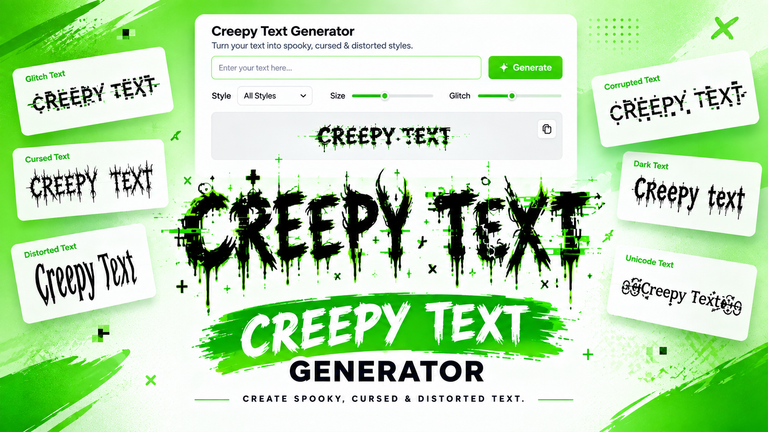
Creepy Text
Creepy text uses distortion to create a horror-inspired appearance. It can work particularly well for Halloween graphics, horror projects, scary stories, and dark-themed social media posts.
Corrupted Text
Corrupted text attempts to make a message look damaged or digitally broken. It is especially suitable for technology-themed artwork, cyberpunk designs, fictional computer screens, and creative storytelling.
Zalgo-Style Text
Zalgo-style text is usually the most extreme option. Large numbers of marks can appear above, below, and around characters, producing a chaotic appearance.
Because it can become difficult to read, it is better suited to creative effects than important communication.
How to Use a Glitch Text Generator
Creating glitchy text normally takes only a few steps.
Step 1: Enter Your Text
Start by typing the word, phrase, username, or short message you want to transform.
Shorter text often produces cleaner results, especially when using stronger effects.
Step 2: Choose a Glitch Effect
Select the visual style you prefer. Depending on the tool, you may have options such as subtle glitch, corrupted, creepy, cursed, or Zalgo.
Try several effects if you are unsure which one fits your project.
Step 3: Adjust the Intensity
If the generator provides an intensity control, use it to determine how much distortion is added.
A lower intensity can preserve readability, while a higher setting can create a much more chaotic result.
Step 4: Preview the Result
Look at the generated text before copying it. Make sure the letters are recognizable and that the effect matches the style you want.
Step 5: Copy the Text
Use the copy function to place the generated text on your clipboard. You can then paste it into a supported website, application, message, or design.
Step 6: Test It on Your Target Platform
Always check the final result where you intend to use it. Unusual Unicode combinations can sometimes appear differently depending on the browser, operating system, font, or application.
What Can You Use Glitch Text For?
Glitch text is primarily a creative tool, so there are many ways to experiment with it.
Social Media
You can use moderate glitch effects in:
- Profile bios
- Captions
- Posts
- Display names where supported
- Creative status messages
A subtle effect can make a short phrase more noticeable without making it impossible to read.
Gaming
Gamers can experiment with glitch text for usernames, clan branding, profiles, status messages, and creative descriptions.
However, individual games can have character restrictions, so a generated name may not always be accepted.
Discord and Online Communities
Glitch-style characters can add personality to messages, profiles, server-related content, and other community elements where unusual characters are supported.
Memes
Glitch and cursed text work particularly well with meme culture. A normal sentence can become much more humorous when it appears distorted or corrupted.
Digital Art
Designers and content creators can use glitch text in posters, thumbnails, experimental typography, cyberpunk graphics, horror artwork, and digital compositions.
Horror and Halloween Projects
Creepy and heavily distorted text can help establish a dark visual atmosphere. It can be used in fictional messages, horror graphics, Halloween posts, and storytelling projects.
Glitch Text vs. Glitch Font Generator
The terms “glitch text” and “glitch font” are sometimes used interchangeably, but they can refer to different things.
A font changes how characters are visually displayed. A Unicode-based glitch text generator, on the other hand, can modify the text itself by combining characters and marks.
This distinction matters because generated Unicode text can often be copied and pasted without installing a font.
However, not every generator works in exactly the same way. Some tools may create images or use other methods to produce their visual effect.
Why Does Glitch Text Look Different on Different Devices?
One of the most important limitations of unusual text is compatibility.
Different operating systems, browsers, applications, and fonts may render Unicode characters differently. A combination that looks attractive on one device may appear less distorted, differently positioned, or less readable somewhere else.
Some characters may even appear as boxes or unsupported symbols if the receiving system cannot properly display them.
For this reason, you should test your generated text before publishing it.
If an effect looks broken after you paste it, try reducing the distortion level or selecting a simpler style.
Is Glitch Text Safe to Copy and Paste?
In general, generated Unicode text can be copied and pasted like other text. However, that does not mean every website or application will support every character combination.
Extremely distorted text can also become difficult to select, search, read, or process.
For normal communication, a lighter effect is usually more practical. Heavy glitch and Zalgo styles are better reserved for creative purposes where readability is less important.
You should also avoid using heavily distorted text for important instructions, accessibility-critical information, or content where users need to understand every word immediately.
Tips for Creating Better Glitch Text
The best effect depends on what you are trying to accomplish.
Keep it readable: If people need to understand the message, don’t use maximum distortion.
Match the style to the project: A subtle glitch may work for a profile, while an extreme effect may be better for horror artwork.
Experiment with intensity: Try several levels before choosing your final version.
Use shorter text: Long phrases can become difficult to read when heavily distorted.
Check compatibility: Paste the result into the platform where you plan to use it before publishing.
Don’t overuse the effect: Glitch text is most effective when it creates contrast. If everything is heavily distorted, nothing stands out.
Common Problems With Glitch Text
The Text Is Too Difficult to Read
The distortion level may be too high. Reduce the intensity or choose a lighter effect.
Characters Look Like Boxes
This can happen when the device or application does not properly support particular Unicode characters or their rendering.
The Appearance Changes After Pasting
Different software can render combining marks and unusual characters differently. Test the text in the destination application.
A Username Is Rejected
Games and social platforms can restrict which characters are allowed in usernames and display names. If the generated text isn’t accepted, try a simpler version.
The Copy Button Doesn’t Work
Refresh the page, try another browser, or manually select and copy the generated text.
Conclusion
A Glitch Text Generator is a simple way to turn ordinary words into creative, distorted, and eye-catching text. Whether you want a subtle digital effect, creepy characters, corrupted text, or an extreme Zalgo-style appearance, you can experiment with different effects to find the right style. Since compatibility can vary between platforms and devices, always preview and test your generated text before sharing it. Choose an effect that matches your purpose, keep important messages readable, and have fun creating unique glitch text for social media, gaming, memes, artwork, and other creative projects.