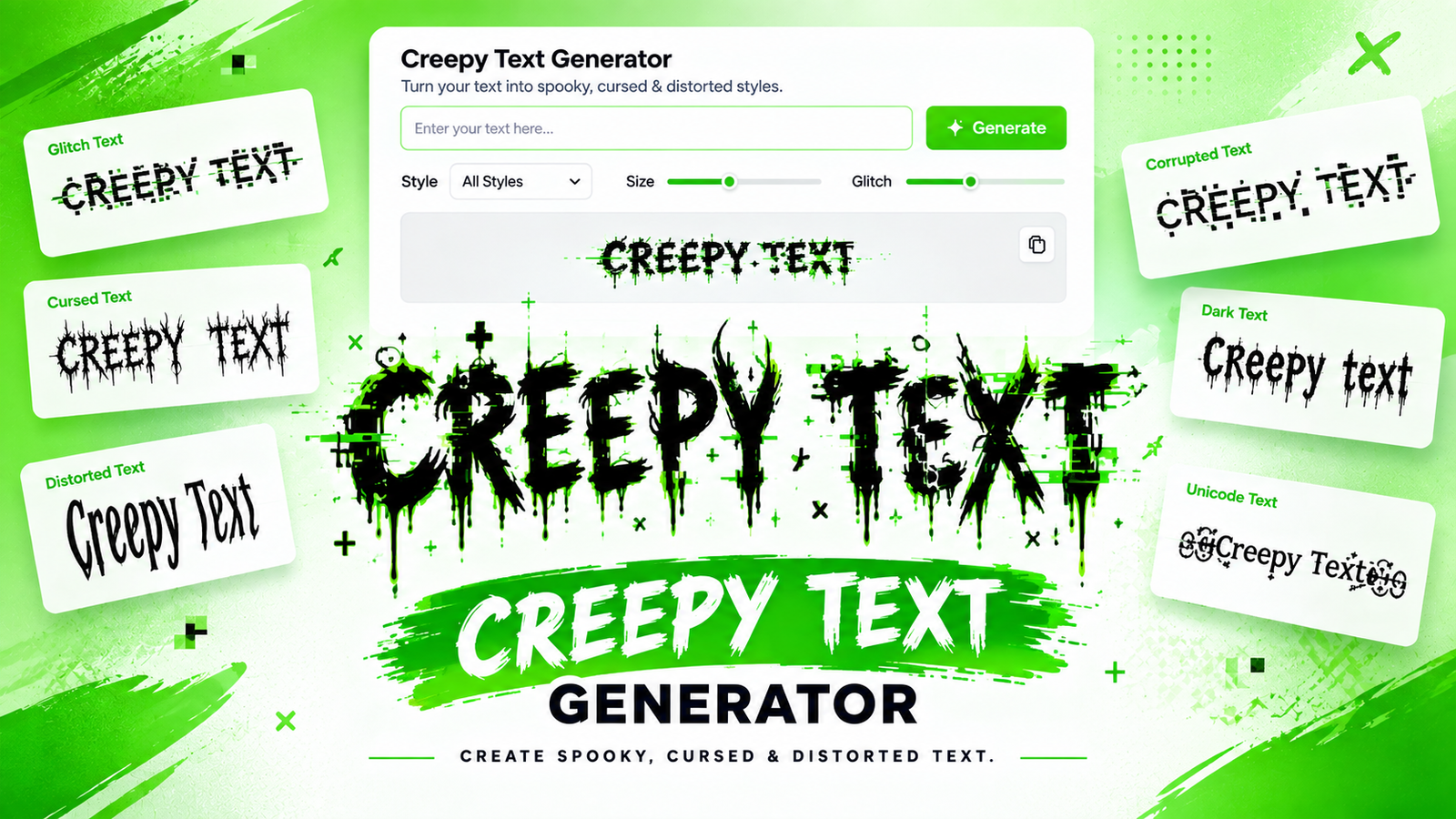
Creepy Text Generator: Create Spooky, Cursed & Distorted Text
Ordinary text can communicate a message, but the right visual style can completely change how that message feels. A simple word can become mysterious, unsettling, distorted, or even horror-inspired when it is transformed with unusual characters and effects. That is where a creepy text generator becomes useful.
A creepy text generator transforms regular words and phrases into unusual text styles designed to create a spooky, distorted, cursed, or glitchy appearance. You can use these styles for Halloween posts, horror projects, gaming usernames, memes, social media captions, creative writing, and other digital content.
Unlike traditional graphic design tools, text generators can create unusual text that you can often copy and paste directly. The result is a quick way to experiment with a darker or more mysterious visual style without manually creating every character.
What Is a Creepy Text Generator?
A creepy text generator is an online tool that changes ordinary text into a visually unsettling format. Depending on the generator, the result may use strange Unicode characters, combining marks, symbols, distorted letters, or other character combinations.
For example, a normal phrase such as:
“Something is watching”
can be transformed into a style that appears corrupted, haunted, or distorted.
The purpose is not necessarily to change the meaning of the words. Instead, the generator changes their visual presentation so they create a particular mood.
Creepy text can range from a subtle spooky appearance to extremely distorted text that looks as if the characters are breaking apart. This flexibility makes it useful for different types of creative content.
What Makes Text Look Creepy?
Several visual elements can contribute to a creepy appearance:
- Unusual characters
- Distorted letters
- Strange symbols
- Marks above and below letters
- Glitch-like effects
- Unusual spacing
- Cursed-looking combinations
- Characters that appear corrupted or fragmented
A good creepy text effect should match the mood of the content. A light spooky style may work well for a Halloween greeting, while an extreme distortion effect can be more appropriate for horror memes or fictional stories.
How Does a Creepy Text Generator Work?
Many creepy text effects are created using Unicode characters. Unicode is a universal character-encoding standard designed to represent text across different writing systems and digital platforms.
One particularly interesting part of Unicode is the use of combining characters. These characters are designed to interact with a preceding character and can appear above, below, or around it.
A generator can use these characters creatively to produce distorted-looking text.
The Basic Process
The process can be understood as:
Normal text → Character transformation → Visual effect → Generated creepy text → Copy and use
You enter a word or phrase, and the generator applies a selected style. Some tools can produce different levels of distortion, allowing you to decide whether the result should remain relatively readable or become highly corrupted.
This is one reason creepy text can look very different from a conventional font. The effect may come from the characters themselves rather than simply changing the typeface.
What Is Zalgo Text?
Zalgo text is one of the most recognizable forms of heavily distorted internet text. It is commonly created by adding large numbers of Unicode combining characters to normal letters.
The additional marks can extend above and below the normal text line, producing an appearance that looks chaotic, corrupted, or as though the text is breaking apart.
Zalgo-style text is often associated with internet horror, memes, and unsettling digital aesthetics.
However, creepy text and Zalgo text should not be treated as exact synonyms. Creepy text is a broad category that can include many different styles, while Zalgo describes a particular heavily distorted technique.
In simple terms:
Zalgo text is one type of creepy text, but not every creepy text style is Zalgo.
Different Creepy Text Styles You Can Create
Not every creepy effect needs to look extremely distorted. Different styles can create different moods.
Cursed Text
Cursed text is designed to look strange, unnatural, or visually wrong. It is particularly popular for memes and internet humor.
The effect can be subtle or extremely chaotic depending on how the characters are transformed.
Zalgo-Style Text
Zalgo-style text generally uses heavy distortion and combining marks. Characters can extend far above or below the normal baseline.
It works particularly well when the goal is to create an intense horror or corrupted-text appearance.
Glitch Text
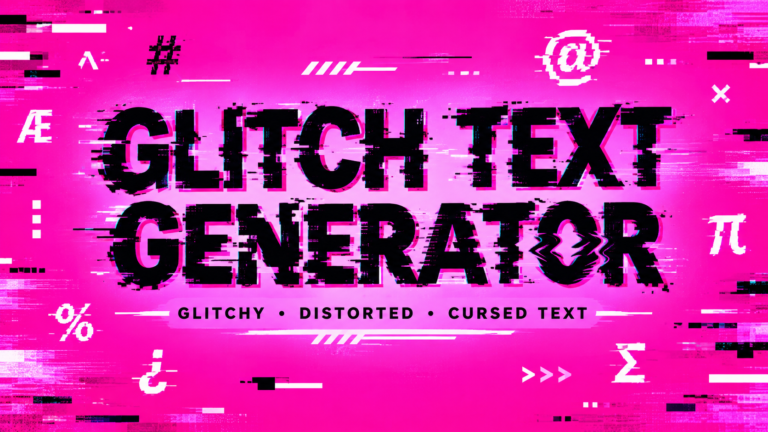
Glitch text creates the impression that a digital message has malfunctioned. Characters may appear broken, displaced, or corrupted.
This style is suitable for:
- Gaming content
- Cyber themes
- Digital artwork
- Technology-related designs
- Futuristic projects
Spooky Text
Spooky text usually focuses on atmosphere rather than extreme distortion. It can be easier to read while still creating a Halloween or horror-inspired mood.
Distorted Unicode Text
Some generators use unusual Unicode characters to create decorative or strange-looking text. These styles can be useful when you want something visually different without making the entire phrase unreadable.
Creepy Text vs. Scary Text vs. Cursed Text vs. Glitch Text
These terms are closely related, but they can describe different visual approaches.
| Style | Main Appearance | Best Use |
|---|---|---|
| Creepy Text | Unsettling and unusual | General horror content |
| Scary Text | Horror-focused | Halloween and scary posts |
| Cursed Text | Chaotic and unnatural | Memes and internet culture |
| Glitch Text | Digitally corrupted | Gaming and technology |
| Zalgo Text | Extremely distorted | Horror and experimental designs |
The boundaries are not strict. A single generated phrase may fit into several categories at the same time.
For example, heavily distorted text could be described as creepy, cursed, glitchy, and Zalgo-style depending on the effect being used.
How to Use a Creepy Text Generator
Creating creepy text does not need to be complicated. Most generators follow a straightforward process.
Step 1: Enter Your Text
Start by typing the word, username, phrase, or short message you want to transform.
Short phrases often produce cleaner and more effective results, especially when using heavy distortion.
Step 2: Choose a Style
Select a creepy, cursed, glitch, spooky, or distorted effect depending on the mood you want.
If your message needs to remain easy to understand, begin with a lighter effect.
Step 3: Adjust the Intensity
Some generators allow you to control how dramatic the effect becomes.
A low-intensity effect may preserve most of the original appearance, while a high-intensity setting can add many more unusual characters.
Step 4: Preview the Result
Always look at the generated text before using it. Check whether the original message is still recognizable and whether the effect matches your intended purpose.
Step 5: Copy the Text
Once you are happy with the result, copy it and paste it into your chosen platform or project.
Where Can You Use Creepy Text?
Creepy text has many creative applications.
Social Media
Use it in captions, posts, comments, profile descriptions, or themed content. A small amount of unusual text can make an otherwise ordinary post more visually interesting.
Gaming
Gamers can experiment with creepy text for usernames, character names, clan identities, or fictional messages.
For horror games, a distorted name can reinforce the atmosphere of the game.
Halloween Content
Halloween is a natural fit for creepy typography. You can use spooky text for:
- Party announcements
- Social media captions
- Digital invitations
- Costume posts
- Horror-themed graphics
Horror Projects
Writers and creators can use distorted text in fictional messages, horror stories, character concepts, posters, and other creative projects.
Memes
Cursed and distorted text has become particularly useful for internet-style memes. A strange-looking phrase can make an ordinary reaction or joke feel intentionally chaotic.
Discord and Online Communities
Creepy text can also be used for usernames, channel themes, community messages, and special events.
How to Make Creepy Text Look Better
Creating the most distorted text possible is not always the best approach. Good creepy text should still communicate something to the reader.
Keep Important Words Readable
If people cannot understand the message, the visual effect may lose its purpose. Use lighter distortion for important information.
Choose the Right Intensity
A subtle effect can create mystery, while extreme distortion can create chaos. Match the intensity to your content.
Match the Style to the Theme
Use glitch effects for digital themes, cursed effects for memes, and spooky styles for Halloween content.
Test Before Publishing
Copy the generated text into the platform where you plan to use it. This helps you see how the characters actually render.
Why Can Creepy Text Look Different on Different Devices?
Unicode-based text does not always look identical everywhere.
Different browsers, operating systems, fonts, mobile devices, and applications can render unusual character combinations differently.
A heavily distorted phrase may look dramatic on one device but appear less distorted on another. In some situations, certain characters may also be displayed differently or may not produce the intended visual effect.
This is especially important when using large numbers of combining marks.
For this reason, it is a good idea to test creepy text before using it for an important post, username, design, or message.
Is Creepy Text Copy-and-Paste Friendly?
Many creepy text styles are made from Unicode characters, which means they can often be copied as text rather than saved as an image.
That makes them convenient for social media, messaging platforms, usernames, comments, and other text fields.
However, copy-and-paste compatibility is not guaranteed to produce exactly the same appearance everywhere. The receiving application needs to support the characters and render them appropriately.
If the exact appearance is important, an image or graphic may provide more consistent visual control.
Creepy Text Generator vs. Image-Based Horror Text
Both approaches have advantages.
A text generator is convenient when you need something that can be copied and pasted quickly. It is useful for usernames, captions, messages, comments, and other text-based applications.
Image-based horror text gives you much greater control over fonts, colors, layouts, shadows, textures, and backgrounds. It is usually better for posters, thumbnails, banners, and professional graphics.
The best option depends on your goal.
If you need quick copy-and-paste text, a generator is convenient. If you need complete visual control, graphic design is usually better.
Common Mistakes When Creating Creepy Text
Making the Text Too Distorted
Extreme effects can make the original message impossible to understand.
Using Too Many Symbols
Adding excessive symbols can create visual clutter instead of an intentional creepy effect.
Ignoring Compatibility
A text style that looks good in one application may render differently elsewhere.
Choosing the Wrong Effect
A digital glitch effect may not work well for a traditional Halloween greeting, while an extreme cursed style may be unnecessary for a simple username.
Forgetting Readability
The strongest visual effect is not always the most useful one. Try to maintain a balance between creativity and readability.
Conclusion
Creepy typography can turn an ordinary message into something mysterious, strange, or unsettling. From subtle spooky characters to heavily corrupted Zalgo-style effects, there are many ways to experiment with the appearance of text.
The key is choosing an effect that fits your purpose. A light distortion can keep a username recognizable, while a stronger cursed or glitch effect can create a dramatic horror aesthetic.
With a creepy text generator, you can experiment with different styles, adjust the intensity, and create text that stands out from ordinary typography. Whether you’re preparing a Halloween post, designing a horror-themed project, creating a gaming identity, or making a cursed meme, transforming simple words can be an easy way to add a distinctive visual character.