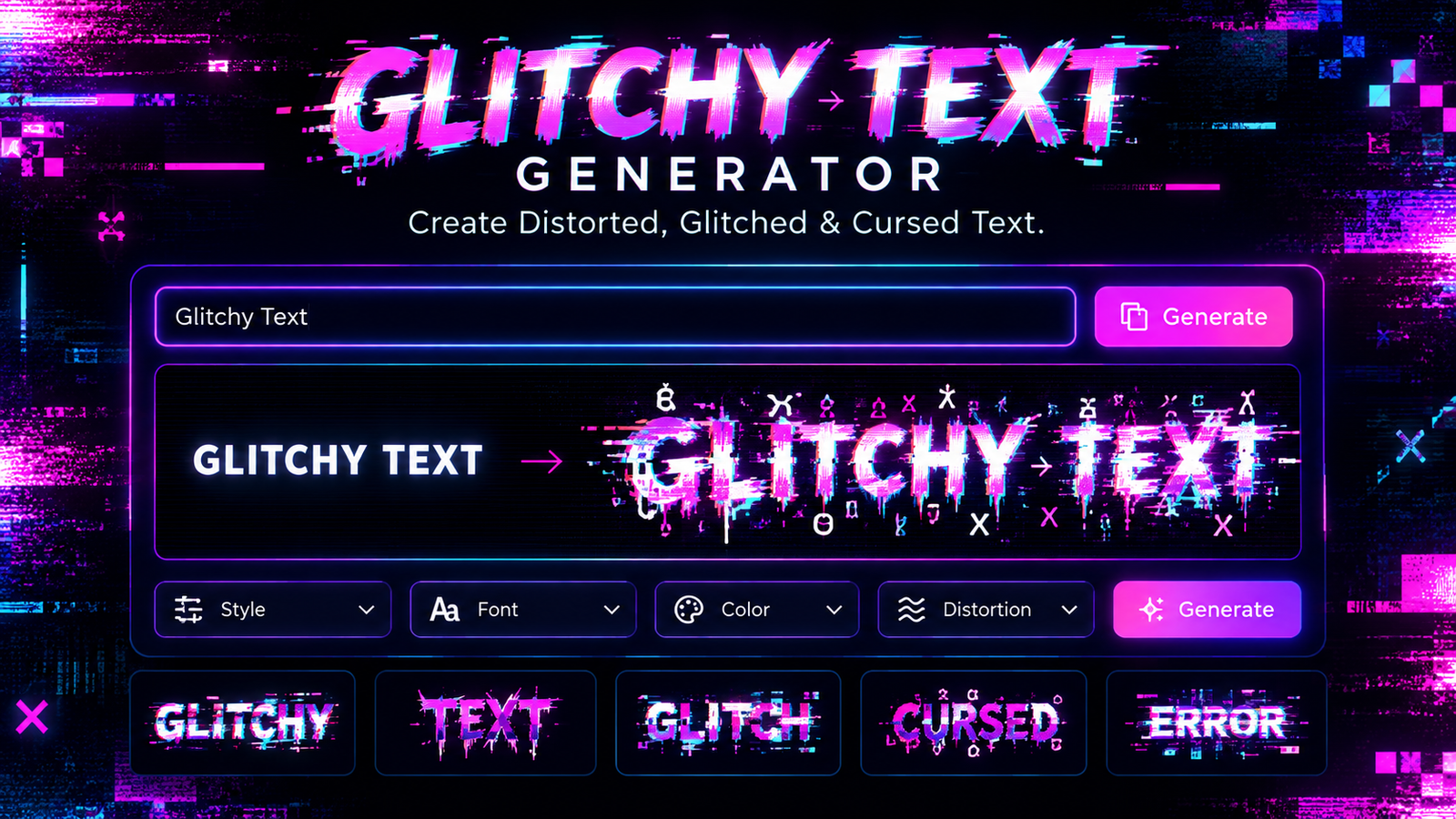
Glitchy Text Generator: Create Distorted, Glitched & Cursed Text
Ordinary text can communicate a message, but sometimes you want your words to look unusual, mysterious, broken, or completely chaotic. A glitchy text generator makes that possible by transforming normal characters into distorted text with strange marks, visual interruptions, and corrupted-looking patterns.
A glitchy text generator can be useful for social media bios, gaming usernames, memes, horror projects, creative designs, and other digital content. Depending on the tool and settings, you can create subtle distortion that remains easy to read or an extreme effect that resembles corrupted computer text.
Unlike a conventional font generator, many glitchy text tools create copyable Unicode-based text. This means the result can often be copied directly from the generator and pasted into another application. However, the final appearance can vary depending on the device, browser, font, or platform displaying the text.
What Is a Glitchy Text Generator?
A glitchy text generator is an online tool that changes ordinary text into a distorted or corrupted-looking version. You enter a word, phrase, username, or sentence, and the generator applies different characters or combining marks to produce a glitch effect.
The resulting text may appear as if it is:
- Breaking apart
- Flickering
- Corrupted
- Scratched
- Melting
- Interfered with
- Filled with digital noise
The intensity can range from a small visual disturbance to an extreme effect where the original letters become difficult to recognize.
Glitchy text is particularly popular because it provides a visual effect without necessarily requiring an image editor. Instead of creating a graphic, users can generate text that can potentially be copied and pasted into social media posts, profiles, games, messages, and creative projects.
It is also important to distinguish glitchy text from a regular decorative font. A font changes the visual design used to display characters, while Unicode-based glitch effects can add additional characters to the underlying text sequence.
How Does Glitchy Text Work?
The technology behind many glitchy text generators is based on Unicode. Unicode is a standardized system for representing text and symbols across digital devices.
Among the many characters defined by Unicode are combining marks. These marks are designed to interact with a preceding character. Instead of functioning like an independent letter, a combining mark can appear above, below, or in another position around the base character.
For example, a normal character might look like:
G
When combining marks are added, the appearance can become distorted:
G̷
Adding more marks can create increasingly complex results.
Unicode Characters
Unicode provides a large collection of characters that computers can interpret. This makes it possible to create many unusual text effects without turning the text into an image.
A generator can select appropriate Unicode characters and combine them with the letters entered by the user.
Combining Marks
Combining marks are particularly important for glitch and Zalgo-style effects. A generator can place marks above, through, or below a base character.
For example:
Text
can be transformed into something resembling:
T̷e̴x̶t̵
The exact characters and appearance depend on the generator.
Layering Multiple Marks
A stronger glitch effect can be created by applying several combining marks to individual characters. As the number of marks increases, the text becomes more visually chaotic.
A light effect may remain highly readable, while an extreme effect can make the original message difficult to identify.
Randomization
Some generators randomly select different marks each time text is generated. This means the same word can produce multiple variations.
Randomization is useful when users want to experiment with different appearances rather than manually selecting every character.
Glitchy Text vs. Zalgo Text vs. Cursed Text
The terms glitchy text, Zalgo text, and cursed text are often used together online, but they can describe somewhat different styles.
| Style | Typical Appearance | Common Uses |
| Glitchy Text | Distorted or broken characters | Social media, gaming |
| Zalgo Text | Heavy stacked combining marks | Horror, memes |
| Cursed Text | Strange or unusual text | Internet humor |
| Glitch Font | Distorted letter designs | Graphics, artwork |
| Glitch Effect | Visual digital distortion | Images and videos |
Zalgo text is generally associated with heavily distorted Unicode text. Glitchy text can be a broader description covering many types of corrupted or distorted text.
Cursed text is more of a cultural and visual description. It may involve unusual Unicode characters, strange symbols, distorted letters, or other unconventional formatting.
A glitch font is different because it usually refers to a typeface or visual lettering style. A traditional glitch effect may also be created in image or video-editing software rather than through copyable Unicode text.
Key Features of a Glitchy Text Generator
A useful glitchy text generator can offer several controls that make customization easier.
Adjustable Glitch Intensity
Intensity controls let users decide how heavily their text should be distorted.
A light setting can create a subtle effect while preserving readability. Medium intensity provides more noticeable distortion, and heavy settings can create a dramatic corrupted appearance.
Multiple Glitch Directions
Some generators allow effects to appear above, through, or below the letters. Combining these directions can create a more chaotic result.
Randomize and Regenerate
A randomize option can generate a new variation without requiring users to change their original text.
This is useful for experimenting with usernames, captions, meme text, and creative designs.
Copy-and-Paste
A copy button makes the generated result easier to use. Instead of manually selecting the entire output, users can copy it with one click and paste it into another application.
Preview
A preview allows users to inspect the final appearance before using it elsewhere. This is especially useful for heavy glitch effects because extremely distorted text may not remain readable.
How to Use a Glitchy Text Generator
Using a glitchy text generator is usually straightforward.
Step 1: Enter Your Text
Start by entering the word, phrase, username, caption, or short message you want to transform.
Short text is often easier to control, especially when using strong distortion.
Step 2: Select a Glitch Style
Choose the type of effect available in the generator. Some tools may provide several presets, while others provide individual controls.
Step 3: Adjust the Intensity
Start with a light or moderate setting. If you want a stronger corrupted appearance, increase the intensity.
Step 4: Preview the Result
Look at the generated text and check whether the original message is still recognizable.
Step 5: Copy the Text
Once you are satisfied, copy the generated text.
Step 6: Paste It
Paste the result into the intended social platform, game profile, message, design, or other application. Always check the final result because different platforms can render unusual Unicode text differently.
Where Can You Use Glitchy Text?
Glitchy text has many creative applications.
Social Media
Users can add distorted text to bios, captions, comments, display names, and posts. A subtle effect can make a short phrase visually different from surrounding content.
Gaming
Gamers may experiment with glitchy text for usernames, gamer tags, clan names, profile descriptions, or status messages.
However, games can apply character restrictions, so generated text should always be tested before being used as a permanent username.
Memes
Glitch and cursed text are frequently used in internet humor. Distorted text can make a normal phrase appear exaggerated, strange, or intentionally broken.
Horror Content
The corrupted appearance makes glitchy text useful for horror-themed projects, Halloween content, creepy messages, fictional computer errors, and other spooky concepts.
Digital Art
Designers can incorporate distorted text into posters, experimental typography, cyberpunk-inspired graphics, album concepts, and digital artwork.
How to Make Glitchy Text More Readable
Extreme distortion can look interesting, but it can also make text difficult to understand. For most practical uses, finding the right balance is important.
Start with a low intensity and gradually increase it. This lets you see exactly when the text begins to lose readability.
Short words and phrases are usually easier to read after distortion than long paragraphs. If the text contains important information, keeping the main message normal and using glitch effects only for decorative elements can also improve clarity.
It is worth previewing the result on the platform where you plan to use it. A piece of text that looks fine in a browser may appear differently in a messaging application or game.
Why Does Glitchy Text Sometimes Break?
Glitchy text does not necessarily look identical everywhere. Several factors can affect its appearance.
Platform Compatibility
Websites and applications may handle unusual Unicode combinations differently. Some may display them correctly, while others may restrict or alter them.
Font Support
The font used by a device or application can influence how combining marks are displayed.
Excessive Distortion
Using a very large number of combining marks can cause characters to overlap heavily. This may make the output difficult to read or visually confusing.
Copy-and-Paste Differences
Copying Unicode text does not guarantee that every application will render it in exactly the same way.
Mobile and Desktop Differences
Different operating systems, browsers, and applications may use different text-rendering systems. Therefore, checking the final result on the intended device can prevent unexpected formatting.
Glitchy Text Generator Examples
The same word can have different levels of distortion.
Normal Text
Glitchy Text
Light Glitch
G̷l̷i̷t̷c̷h̷y̷
Medium Glitch
G̴l̵i̷t̶c̸h̴y̵
Heavy Glitch
A heavy version can contain many additional marks around each character, producing a much more corrupted appearance.
The exact result depends on the combining characters selected by the generator and how the target platform renders them.
Glitchy Text for Different Creative Styles
One reason these generators are popular is their flexibility.
For creepy text, subtle distortion can make a message appear mysterious or unsettling.
For cursed text, stronger distortion can create the unusual appearance commonly associated with internet memes.
Cyberpunk designs, controlled glitch effects can complement futuristic digital themes.
For broken-text designs, heavier distortion can resemble corrupted files, malfunctioning screens, or damaged digital data.
For experimental typography, glitchy characters can be combined with normal text to create contrast and visual interest.
Tips for Getting Better Results
A few simple practices can make generated text more useful:
- Start with a short phrase.
- Try light distortion before extreme effects.
- Generate several variations.
- Choose a result that remains recognizable.
- Preview the text before publishing.
- Test it on the platform where you intend to use it.
- Avoid unnecessary amounts of distortion.
- Keep important information in normal text.
- Use extreme glitch effects mainly for decorative or creative purposes.
The goal is not always to make the text as distorted as possible. In many situations, a controlled effect provides a better combination of appearance and readability.
Is Glitchy Text Safe to Copy and Paste?
Glitchy text created with Unicode characters is generally still text rather than an image or executable program. However, extremely complicated Unicode sequences can cause rendering and usability problems.
For this reason, it is better to use moderate distortion when sharing text across multiple platforms. If the message is important, keep a normal-text version available as well.
Users should also remember that a generated result may look different after being pasted into another application.
Conclusion
A glitchy text generator provides a simple way to transform ordinary words into unusual, distorted, and visually interesting text. By using Unicode characters and combining marks, many generators can create effects ranging from subtle glitches to heavily corrupted designs.
Whether you are creating a gaming username, experimenting with meme text, designing horror content, or exploring digital typography, different glitch levels can produce very different results. The most practical approach is to experiment with several variations while keeping readability and platform compatibility in mind.
With the right balance between distortion and clarity, glitchy text can turn an ordinary phrase into something much more distinctive.
One Comment