How Bratgenerator Works: Create Brat-Style Graphics, Text, and Memes
Bratgenerator is a type of online text and image creation tool designed around the visual language of the Brat aesthetic. It allows users to enter their own text and turn it into a graphic that uses elements commonly associated with the style.
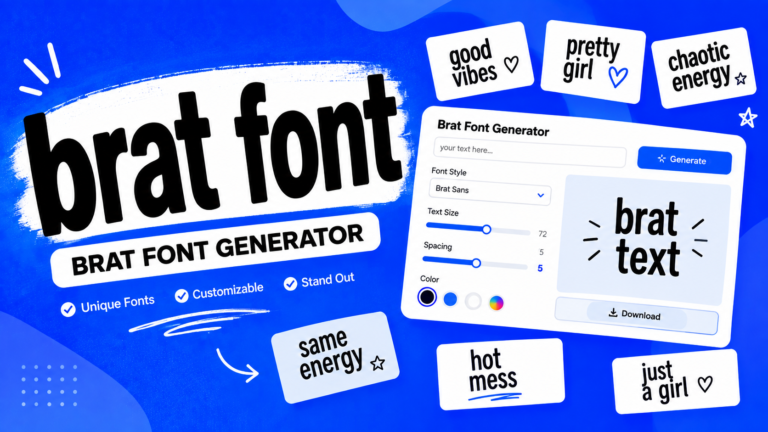
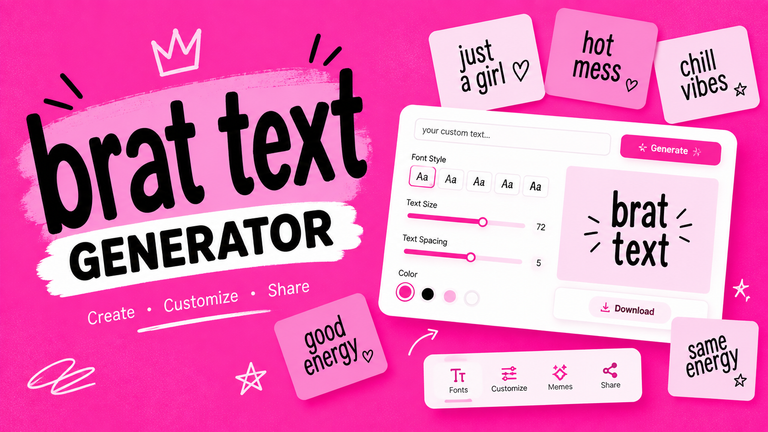
A typical generator may provide options for changing the text, font, background color, size, positioning, blur, and other visual effects. The exact features depend on the tool, but the overall process is designed to be quick and beginner-friendly.
The main appeal is simplicity. Instead of manually recreating a design in professional software, users can start with a short phrase and produce a finished graphic within minutes.
People can use a Bratgenerator to create:
- Brat-style text graphics
- Custom memes
- Social media images
- Fan artwork
- Personalized graphics
- Album-inspired designs
- Wallpapers
- Short quote graphics
Why Is the Brat Style So Recognizable?
The style is recognizable because it does not rely on complicated illustrations or multiple design elements. Its visual identity comes from a few strong characteristics: a bright green background, lowercase typography, minimal composition, and a slightly rough or imperfect appearance.
That simplicity makes the format easy to recognize and easy to recreate. It also gives users plenty of room to replace the original wording with their own ideas.
Where Did the Brat Aesthetic Come From?
The Brat aesthetic became widely associated with British pop artist Charli XCX and her 2024 album Brat. The album’s visual presentation intentionally moved away from the highly polished artwork commonly seen in mainstream pop.
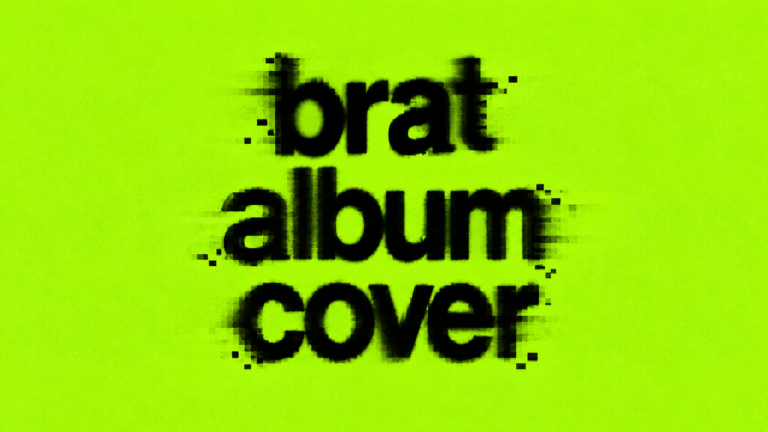
Instead, the cover used a vivid green background with simple lowercase lettering. The unusual simplicity immediately caught people’s attention and became an important part of the album’s identity.
Charli XCX and the Brat Album
Charli XCX’s Brat was released in June 2024 and quickly became more than a music release. Its visual identity became part of online culture, influencing memes, fashion, social media graphics, and other forms of digital creativity.
The word “brat” itself became visually powerful because it was presented in such a distinctive way. Once people became familiar with the design, changing the word while keeping the same visual structure became an easy way to create new content.
The Design Behind the Brat Album Cover
The original concept is intentionally minimal. Instead of using photographs, detailed illustrations, or elaborate compositions, it relies on color and typography.
The recognizable elements include:
- A vivid green background
- Lowercase text
- A simple sans-serif appearance
- Large typography
- Minimal decoration
- A deliberately imperfect visual quality
These elements work together to create a style that looks simple but is immediately identifiable.
From Album Artwork to Internet Meme
The design was particularly suitable for memes because users could keep the visual structure while replacing the text. A familiar word could be swapped for a name, joke, phrase, reaction, or cultural reference.
This helped the aesthetic move beyond the album itself. People began creating their own Brat-inspired graphics, making the format part of the broader internet conversation.
How Does Bratgenerator Work?
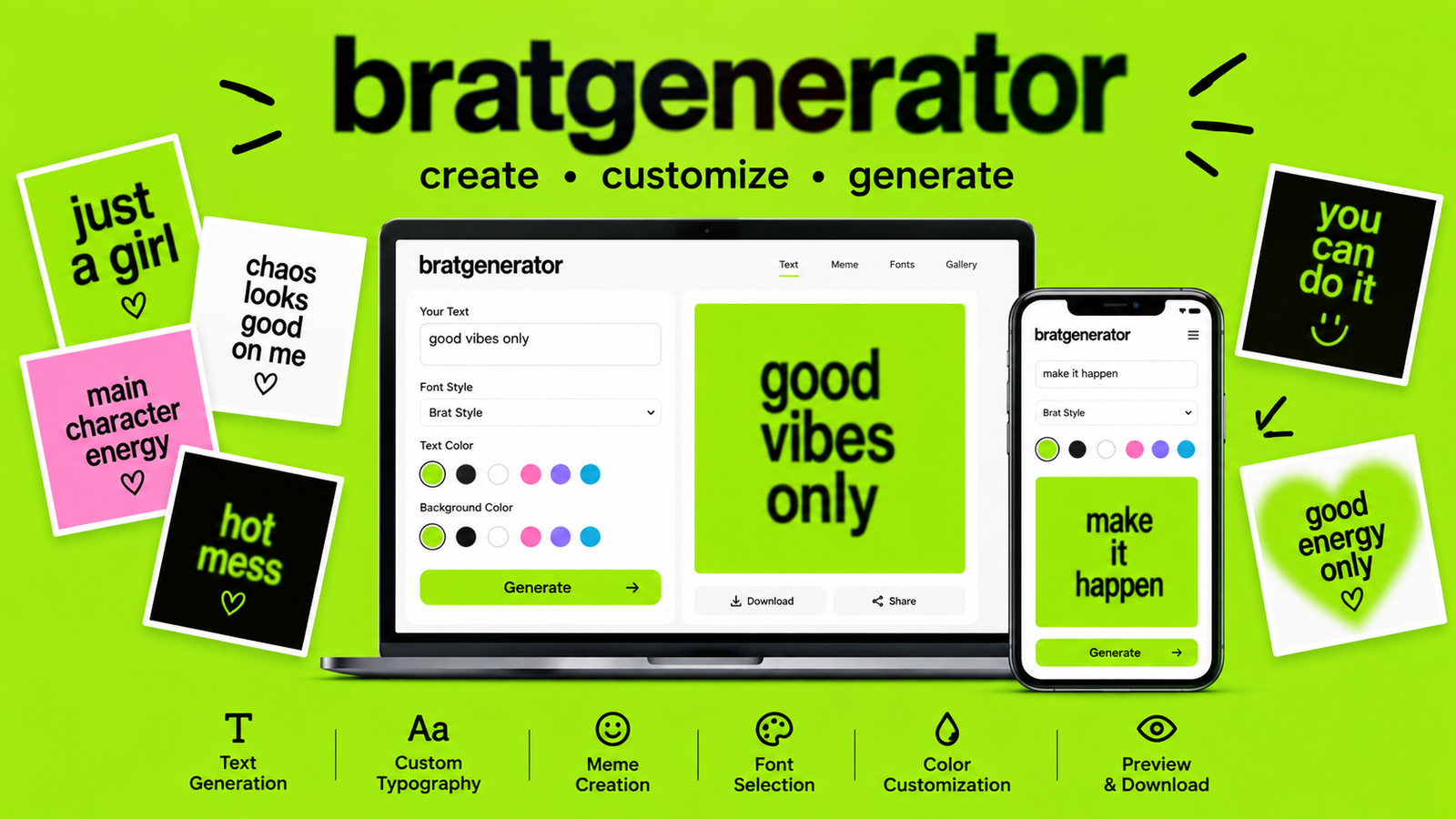
Although different tools offer different controls, most Brat generators follow a straightforward workflow.
Step 1 — Enter Your Text
The first step is usually entering the text you want to display. This can be a name, phrase, joke, quote, short message, or other creative idea.
Shorter text often works particularly well because the Brat aesthetic depends on large, visually dominant lettering. Long sentences can make the design crowded and reduce the impact of the typography.
Using lowercase letters can also help maintain the familiar visual character.
Step 2 — Choose a Brat-Style Font
The next step is selecting a suitable typeface. Brat-inspired designs generally use simple sans-serif lettering rather than decorative fonts.
Depending on the generator, you may find different variations, including condensed, stretched, bold, distorted, or slightly irregular styles.
The font has a major effect on the final image. A clean, simple typeface usually feels closer to the recognizable aesthetic, while heavily decorative fonts can make the design look more like a general meme graphic.
Step 3 — Select the Background Color
Color is one of the most important parts of the Brat visual identity.
The famous green background immediately connects the design with the aesthetic. Many generators therefore provide a green background by default or include a color picker for customization.
Some users may prefer to maintain the traditional green for a more recognizable result, while others can experiment with different colors to create their own interpretation.
Step 4 — Customize Text and Effects
Once the basic design is created, additional controls can make the graphic more personalized.
Depending on the generator, customization may include:
- Font size
- Text position
- Text color
- Background color
- Letter spacing
- Alignment
- Blur
- Opacity
- Canvas size
- Distortion
- Other visual effects
The goal is not necessarily to add as many effects as possible. The Brat aesthetic works partly because of its simplicity, so subtle adjustments can often produce a stronger result.
Step 5 — Preview Your Design
Before generating the final image, check how everything looks together.
Look at the text size, spacing, contrast, and positioning. If the words are difficult to read or appear too close to an edge, make adjustments before exporting.
Previewing the design is especially useful when experimenting with longer phrases or unusual font styles.
Step 6 — Generate and Save
Once the design looks right, generate the final graphic. If the tool supports downloading, the finished image can then be saved and used for personal projects, social media posts, memes, or other creative purposes.
Understanding the Brat Font Style
Typography plays a central role in the Brat aesthetic.
What Font Does Brat Use?
People often describe the typography as being based on a simple Arial-like or condensed sans-serif appearance. However, discussions about the exact typeface can vary, so it is better to focus on the visual characteristics rather than treating one font name as the only definitive answer.
The important qualities are the clean letterforms, lowercase presentation, large scale, and relatively simple appearance.
What Makes Brat Text Look Different?
Brat-style typography often stands out because of its combination of simplicity and imperfection.
Common characteristics include:
- Lowercase lettering
- Large text
- Simple sans-serif shapes
- Condensed or stretched proportions
- Strong contrast
- Slight blur or softness
- Minimal surrounding elements
A Brat font generator focuses mainly on typography, while a complete Bratgenerator usually combines typography with the background, layout, and other visual settings.
What Is Brat Green?
Brat green is one of the most recognizable parts of the aesthetic. The intense green color became strongly associated with the Brat album and its visual campaign.
Online recreations often use HEX and RGB approximations of the original color. Different tools and references may use slightly different values, so there is not always one identical digital representation across every generator.
Why Is Green Important to the Brat Style?
The unusual green creates immediate visual recognition. When combined with lowercase black typography, it produces a simple design that can often be identified even before someone reads the text.
Can You Change the Brat Green?
Yes, if the generator provides color customization.
Keeping the original green produces a more traditional Brat-inspired appearance. Changing it to pink, white, blue, black, or another color can create a more personalized design.
Color experimentation can be useful when creating graphics for different themes or social media styles.
What Can You Create With Bratgenerator?
The possibilities extend beyond simply recreating the album cover.
Brat-Style Text Graphics
You can turn names, short phrases, jokes, quotes, and creative messages into Brat-inspired graphics. Short text usually produces the clearest result.
Brat Memes
The format is naturally suited to memes because the text can be changed while the recognizable visual structure remains intact.
A short joke or reaction can become a simple graphic without requiring advanced editing skills.
Social Media Graphics
Brat-style images can also work for social media posts, stories, profile graphics, and other visual content.
Their simple structure makes them easy to understand at a glance, which is useful on platforms where users scroll quickly through large amounts of content.
Brat-Inspired Album Covers
Users can create fictional album-style graphics, fan artwork, music-related designs, or personalized cover concepts. These can be useful for creative experimentation and personal projects.
Personal and Community Projects
The format can also be adapted for events, online communities, wallpapers, fan projects, and other forms of digital artwork.
How to Make a Brat Meme With Bratgenerator
Creating a Brat meme is usually straightforward.
Start with an idea that can be expressed in a short phrase. Enter the text into the generator, choose an appropriate font, select the background, and adjust the size and position.
After previewing the result, add effects only if they improve the design. Finally, generate and save the finished image if the tool provides an export option.
For better results:
- Keep the wording short
- Use lowercase text when appropriate
- Avoid overcrowding the image
- Maintain strong contrast
- Choose readable typography
- Use blur and distortion carefully
- Preview the final composition before saving
The best designs usually feel simple rather than overloaded.
Bratgenerator for Social Media
Brat-inspired graphics can be adapted to several social platforms.
On Instagram, they can work as posts, stories, or visual elements for Reels. On TikTok, they can be used as cover images or supporting meme graphics. X and similar platforms, a short Brat-style image can complement a humorous or conversational post.
The most important consideration is readability. Social media users often view images on small screens, so large and clear text generally performs better than complicated layouts.
Bratgenerator vs. Traditional Graphic Design Tools
A specialized generator and a traditional design application serve different purposes.
| Feature | Bratgenerator | Traditional Design Tool |
| Brat-style templates | Usually available | Usually manual |
| Quick text creation | Yes | Yes |
| Font customization | Yes | Yes |
| Background customization | Usually | Yes |
| Advanced editing | Limited or varies | Extensive |
| Beginner friendly | Usually | Depends on software |
| Specialized Brat workflow | Yes | No |
If the goal is simply to make a Brat-inspired graphic quickly, a dedicated generator can be more convenient. Traditional design software is more suitable when you need detailed control over layers, illustrations, photo editing, or complex compositions.
Tips for Creating Better Brat-Style Graphics
A successful design does not need dozens of effects. Start with the basic elements and make small adjustments.
Keep the text short and choose a font that remains readable. Maintain enough contrast between the lettering and background. Experiment with positioning rather than automatically placing everything in the center.
Blur can add personality, but excessive blur may make the message difficult to understand. Similarly, unusual colors can create interesting variations, but the classic green remains the easiest way to communicate the traditional Brat aesthetic.
Most importantly, preview the complete design before exporting it.
Common Mistakes to Avoid
One common mistake is adding too much text. A large paragraph can undermine the minimal visual style.
Another is using multiple decorative fonts or excessive effects. These can make the design look disconnected from the aesthetic.
Poor contrast is another problem. Even an attractive color combination is not useful if viewers cannot easily read the words.
It is also important to distinguish between creating an original Brat-inspired design and directly copying protected artwork. Personal creative work and commercial use can involve different legal considerations, so users should understand applicable copyright and trademark rules before using designs commercially.
Is Bratgenerator Free to Use?
Whether a Bratgenerator is free depends on the particular website or application. Some tools offer basic generation without charge, while others may provide additional customization or features under different plans.
Before using a generated image commercially, check the tool’s terms of use and understand what rights apply to the generated content.
Bratgenerator and Copyright Considerations
The Brat aesthetic has become widely recognizable, but there is an important difference between taking inspiration from a visual style and reproducing specific copyrighted artwork.
Creating your own text-based graphic inspired by the general design concept is different from copying and redistributing official album artwork.
For personal memes and fan creations, users should still consider the relevant platform rules. For commercial projects, advertising, merchandise, or branded campaigns, it is particularly important to check copyright and trademark requirements.
Frequently Asked Questions About Bratgenerator
How does Bratgenerator work?
Most generators follow a simple process: enter text, choose a font, customize the background and visual settings, preview the result, and generate the final image.
What font does Brat use?
The Brat aesthetic is commonly associated with a simple Arial-like or condensed sans-serif appearance. The exact typography can vary between recreations, so the overall visual characteristics are more important than one specific font name.
What color is Brat green?
Brat green refers to the vivid green associated with Charli XCX’s Brat visual identity. Digital recreations may use slightly different HEX or RGB approximations of the color.
Can I create Brat memes with Bratgenerator?
Yes. A generator can be used to turn custom words, jokes, reactions, or short phrases into Brat-inspired meme graphics, depending on the features available in the particular tool.
Can I download Bratgenerator images?
Many generators provide an option to download or save the finished image, although the available export options vary between tools.
Conclusion:
Bratgenerator turns a recognizable internet-era visual concept into an accessible creative tool. Instead of manually building a design from scratch, users can enter their own text, select a suitable font, choose a background, adjust visual effects, and create a finished graphic in a short amount of time.
The appeal of the format comes from its simplicity. A vivid background, lowercase typography, and a carefully chosen phrase can be enough to create an eye-catching image.
Whether you are making a meme, social media graphic, fan project, personalized artwork, or simply experimenting with typography, understanding the basic principles behind the Brat aesthetic can help you create better results. The best approach is to start simple, experiment with text and visual settings, and develop your own interpretation of the style.